| CRM and leads | 3 of 5 | 0 of 5 | 0 of 5 | 0 of 5 | 3 of 5 | 0 of 5 | 0 of 5 |
|---|
| Email remindersEmail reminders before appointments, follow-ups, and scheduled installs, deliveries, and inspections. | ✓ Assistant and TeamsAssistant, $41.67 a month billed annually | From Connect$99 a month | PartlyPlan not stated. Crew schedule texts and emails; expiration reminders | PartlyFollow-ups on unsigned estimates and unpaid invoices; task emails | ✓ Plan not statedClient reminders; crew get push alerts | PartlyUnpaid invoice and service appointment reminders; app alerts for schedule changes | Run, $70Visit reminder emails to the client and payment reminders; none to you |
|---|
| Customer appointment remindersHomeowners get an email before an appointment, with confirm and reschedule built in. | ✓ Assistant and TeamsAssistant, $41.67 a month billed annually | From Connect, $99Confirm only; the business reschedules | Not foundReminders go to crews, not clients | Not foundGeneral notifications only | ✓ Plan not stated24-hour email; how clients confirm or reschedule not described | Service work onlyAutomated reminders; confirm or reschedule not described | Run, $70Email reminders of visits; no confirm or reschedule by the customer |
|---|
| Five-factor lead scoringA clear yes, no, or maybe on a lead before driving out. | ✓ Every planSolo, $12.50 a month billed annually | Not foundRequest forms only | Not foundLead stages and sources; custom fields only | Not foundLead forms and pipeline only | Not foundManual qualification stage | Not foundCRM pipeline stages only | Not foundClient profiles record how each customer found you; no lead scoring or pipeline |
|---|
| Lead reportingClose rate, revenue won, open pipeline, close rate by lead source, and lost leads by reason, on Home and the stats screen, with CSV and PDF export. Revenue by source does not exist; see _excluded. | ✓ Every planSolo, $12.50 a month billed annually | Plus, or $49 add-onSales pipeline | PartlyPlan not stated. Lead stats by source, stage and timing; no close rate | PartlyCustom reports, Leads by Source; close rate not stated | ✓ Lead reportsClose rate and revenue by source, lost reasons; plan not stated | PartlyPipeline board and bid value; no close rate or source reports | Elite, $32Sales and estimate reports; no close rate by lead source or lost reasons |
|---|
| Daily briefingOverdue invoices, detected trips, follow-ups, appointments, and open proposals in one morning view. | ✓ Every planSolo, $12.50 a month billed annually | PartlyHome: today's visits, overdue balances | PartlyPlan not stated. Dashboard of widgets you pick | PartlyCustom KPI dashboards | Not foundOn-demand AI questions on Pro only | PartlyDashboard: today's jobs and check-ins; no overdue invoices | Elite, $32Monthly Snapshot of the current month; no daily view |
|---|
| Estimating | 7 of 7 | 2 of 7 | 2 of 7 | 3 of 7 | 2 of 7 | 2 of 7 | 3 of 7 |
|---|
| Design agreementsPaid preconstruction sits in the document chain, so planning work is paid work. | ✓ Every planSolo, $12.50 a month billed annually | Not foundContract text on quotes | Not foundDocument Writer contracts and warranties | Not foundContract language on estimates | Not found | Not foundProposals carry terms | Not foundContracts and terms attach to an estimate; no paid design agreement |
|---|
| Itemized estimatesAssembly-based estimates with quantities and rates the contractor can inspect line by line. | ✓ Every planSolo, $12.50 a month billed annually | ✓ Every planQuotes | ✓ IncludedPlan not stated. Estimates; 1build pricing not on Basic or Standard | ✓ IncludedBudgets from a cost catalog, takeoff quantities | ✓ Starter, $199Line items and assemblies | ✓ Every planBudget, then markup per line | ✓ Pro, $17Basics makes estimates; the pricing page lists line items from Pro |
|---|
| Estimate templatesSave an estimate as a template for work done often. | ✓ Every planSolo, $12.50 a month billed annually | ✓ Every planQuote templates | ✓ IncludedPlan not stated. Estimate templates (KB title only) | ✓ IncludedBudget and job templates | ✓ Starter, $199Save any estimate as a template | ✓ Every planBudget templates | ✓ IncludedProject templates; the pricing grid does not show which plan |
|---|
| Proposals with multiple package tiersGood, better, best packages in one proposal. | ✓ Every planSolo, $12.50 a month billed annually | Grow, $149Optional line items; Quote Options in beta | PartlyPlan not stated. Optional items, selections and options (KB titles only) | ✓ IncludedGood, better, best options | Pro, $1,199Selections inside one estimate; one estimate per lead | WorkaroundOptions as $0 lines; client notes choices when signing | Not foundNo options or packages in one estimate |
|---|
| AI estimating from a plain-language job descriptionDescribe the job in plain words and get an itemized draft: assemblies, quantities, researched baseline rates, with the contractor's own saved rates taking over once set. | ✓ Every planSolo, $12.50 a month billed annually | PartlyJobber AI drafts from your quote templates | Not foundAI assistant for takeoffs only | PartlyAI Estimating drafts budgets; input not described | Pro, $1,199Drafts from your templates through your own ChatGPT, Claude or Gemini | Not found'Knowify AI' teased; no AI estimating described | ✓ Every planEstimate with AI from a typed or spoken description |
|---|
| Remodel and new-home estimatingOne estimator covers remodels and new homes and detects which one a description is. Detect is the default job type; a contractor can pick Remodel or New home per estimate, or set Kind of work to Remodeling to turn the choice off. | ✓ Every planSolo, $12.50 a month billed annually | Not foundNo job-type detection | Not foundResidential and commercial templates; no job-type detection | Not foundNo job-type detection | Not foundNo job-type detection | Not foundNo job-type detection | Not foundJoist says it is not a construction cost estimating program |
|---|
| Labor hours on estimatesEstimated labor hours, shown as a range, on every labor line, with an allowance for setup, cleanup, and material runs (15% by default) the contractor can change in Settings or per estimate. A planning figure; it never appears on proposals, PDFs, or the portal. | ✓ Every planSolo, $12.50 a month billed annually | Not foundUnit cost and markup only | Not foundLabor pricing in the cost database; no hour ranges | Not foundNot stated on estimating pages | PartlyLabor hours in assemblies at a crew rate; no range or allowance | Not foundLabor priced in the budget; no hour ranges described | Not foundLabor is a line item you price yourself |
|---|
| Contracts and invoicing | 5 of 5 | 3 of 5 | 3 of 5 | 5 of 5 | 3 of 5 | 3 of 5 | 4 of 5 |
|---|
| Payment schedulesSplit a proposal into a deposit, milestone payments, and a final payment, then invoice each one from the signed contract. | ✓ Every planSolo, $12.50 a month billed annually | ✓ Every planProgress invoicing | ✓ IncludedPlan not stated. Schedule of values and progress invoicing; deposits not stated | ✓ IncludedPayment schedules, progress billing | ✓ Core+, $599Progress billing by milestone or percentage | ✓ Every planProgress billing, AIA G702/G703 | ✓ IncludedDeposits and milestone payments; the pricing grid does not show which plan |
|---|
| Sales tax on documentsAdd a sales tax rate or a flat amount to invoices and other documents, with collected tax totaled by quarter and year. The contractor enters the rate; Clamp does not look rates up. | ✓ Every planSolo, $12.50 a month billed annually | ✓ Every planTax rates and Taxation report | PartlyPlan not stated. Tax rates by location; no tax report found | ✓ IncludedTax rate or fixed amount; no tax report found | PartlyTax rate on estimates and invoices; no tax report found | PartlyTax rates sync from QuickBooks; no tax report described | ✓ IncludedSaved taxes per line item; Sales Tax Summary in reports |
|---|
| Customer credits and refundsApply a customer's credit to an open invoice, record a refund, or adjust a balance, with the history kept on the job. Recorded only; Clamp moves no money. | ✓ Every planSolo, $12.50 a month billed annually | PartlyRefunds only, no credits | Not foundKB credit article did not load; offline payments recorded | ✓ IncludedLog credits and refunds (2023 update) | PartlyRefunds of Projul card and ACH payments only; no credits | Not foundRetainage adjustments only | Refunds onlyRefunds of Joist Payments within 60 days; no credits or balance adjustments |
|---|
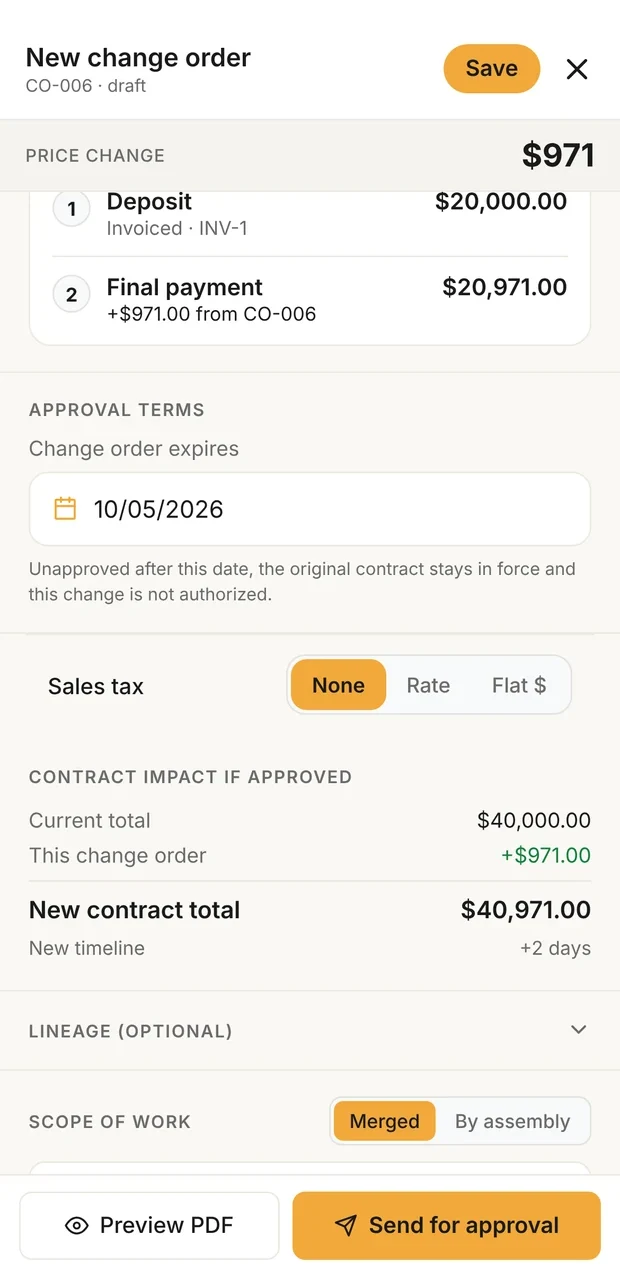
| Change orders that update the contractScope changes get written up and tied to the original contract, so verbal changes stop costing money. | ✓ Every planSolo, $12.50 a month billed annually | Not foundThrough DocuSign | ✓ IncludedPlan not stated. Contract amount updates on approval | ✓ IncludedFrom the budget, approved by link | ✓ Core, $399E-signed; updates the budget, contract update not stated | ✓ Every planE-signed, feed the billing schedule | ✓ Elite, $32 |
|---|
| Invoices tied to the contractEvery invoice belongs to the contract or change order it bills. | ✓ Every planSolo, $12.50 a month billed annually | ✓ Every plan | ✓ IncludedPlan not stated. Progress, AIA and time and material invoices | ✓ IncludedTurned from estimates | ✓ Starter, $199Created from the estimate | ✓ Every plan | ✓ Every planEstimates convert to invoices |
|---|
| Customer portal | 0 of 6 | 2 of 6 | 2 of 6 | 4 of 6 | 4 of 6 | 3 of 6 | 2 of 6 |
|---|
| Password-free customer portalThe homeowner opens a link. No account, no password, no app to install. | ✓ Assistant and TeamsAssistant, $41.67 a month billed annually | ✓ Client HubEvery plan | PartlyPlan not stated. Client Portal per contact; no-account access stated only for estimate links | ✓ Customer portalOpens from the email link; password for app or payments | ✓ Core+, $599Feature page: no account or password; help center: link plus login instructions | ✓ Advanced, $329 or $399No-login link; portal page says from $99, pricing page says Advanced | Shared linksCustomers review, sign and pay each document by link; no persistent project portal |
|---|
| Unlimited documents and photos shared to the portalShare job documents and photos to the customer portal without a count cap, subject to per-item size limits. | ✓ Assistant and TeamsAssistant, $41.67 a month billed annually | PartlyAttachments | ✓ IncludedPlan not stated. Pick files and photos to share; limits not stated | ✓ IncludedUnlimited documents and files | ✓ Core+, $599Documents and photos; no limit stated | ✓ Advanced, $329 or $399Photos, invoice PDFs, shared files | Pro, $17Up to 20 photos on each estimate or invoice; no portal |
|---|
| E-signing on the homeowner's phoneDocuments get signed on the homeowner's own phone, no account required. | ✓ Assistant and TeamsAssistant, $41.67 a month billed annually | ✓ Quote approvalsTyped or drawn | ✓ IncludedPlan not stated. Estimates by link, no account; change orders | ✓ IncludedSign and approve in the portal | ✓ Core, $399Email or text link, no account | ✓ Every planBids and change orders | ✓ IncludedClient signs from the emailed link on any device |
|---|
| Several signers on one documentSend one document to up to five people, each signing their own line, see who has signed, and remind anyone who has not. | ✓ Assistant and TeamsAssistant, $41.67 a month billed annually | Not foundOne client signs | Not foundCourtesy copies on estimate approvals only | Not foundOne signer described | Not found | Not found | Several recipientsSends to several emails; signing shows you and one client, no per-signer tracking or reminders |
|---|
| Project updates and decisions in the portalPost project updates to the customer's portal and ask the customer to make a decision, which they answer from their phone. | ✓ Assistant and TeamsAssistant, $41.67 a month billed annually | Not foundChoices at quote time only | PartlyPlan not stated. Approvals of estimates, change orders, RFIs and submittals | ✓ IncludedMessages and e-signed selections | ✓ Core+, $599Messages and updates; selection decisions on Pro | Advanced, $329 or $399Optional project log; no decisions | Not foundNo project updates or customer decisions after signing |
|---|
| Not delivered email handlingWhen a customer email Clamp sends bounces, the document is marked Not delivered so the contractor can fix the address and resend, or copy the link to text it. | ✓ Assistant and TeamsAssistant, $41.67 a month billed annually | Not found | Not foundKB troubleshooting article only; body did not load | Not found | Not foundShows sent and opened only | Not found | ✓ Every planUndelivered status in the document list plus an email to you; resend by text |
|---|
| Expense tracking | 5 of 5 | 2 of 5 | 3 of 5 | 3 of 5 | 1 of 5 | 3 of 5 | 1 of 5 |
|---|
| Automatic GPS mileage trackingBackground trip detection, route maps, IRS rates, trips linked to the job that caused the drive. | ✓ Every planSolo, $12.50 a month billed annually | Not foundGPS waypoints only | Not foundVehicle logs record mileage for maintenance | Not foundNot on pricing or mobile pages | Not foundGPS location while clocked in only | Not foundFleet vehicle tracking add-on from $25 a vehicle | Not found |
|---|
| Automatic time on siteGPS geofence tracking of hours at the jobsite. | ✓ Every planSolo, $12.50 a month billed annually | ✓ Grow, $149Location timers by geofence; need a connection | PartlyPlan not stated. GPS and geofenced time cards; automatic clock-in not stated | Not foundManual clock-in with location on a map | Pro, $1,199Geofence checks a tapped clock-in | Every planClock in with optional geofence; not detected automatically | Not found |
|---|
| Receipts and expenses on the jobReceipts logged against the job they belong to. | ✓ Every planSolo, $12.50 a month billed annually | ✓ From Connect, $99Expenses with receipt photo | ✓ IncludedPlan not stated. Expenses; receipt photos not stated | ✓ IncludedAI receipt scanning | Core+, $599Expenses on the budget; receipt capture not described | ✓ Every planPurchases with receipt photo | ✓ IncludedExpense tracking with receipt photos tied to jobs; plan not shown on the grid |
|---|
| Purchase ordersCommitted costs captured between the estimate and the receipt. | ✓ Every planSolo, $12.50 a month billed annually | Not found | ✓ IncludedPlan not stated. One-click bill from a PO | ✓ IncludedPOs and work orders | ✓ Pro, $1,199 | ✓ Every planPurchases; POs from the budget | Not found |
|---|
| Accounts payable and vendor billsVendor bills tracked and surfaced in the attention flows, with first-class vendor records. | ✓ Every planSolo, $12.50 a month billed annually | Not found | ✓ IncludedPlan not stated. Bills tied to POs and subcontracts | ✓ IncludedBill approval, reconciled with POs | Pro, $1,199Vendor profiles; supplier invoice matched to PO; no AP | ✓ Every planBills sync both ways with QuickBooks | Not foundExpenses and receipts only; no bills or vendor records |
|---|
| Job costing and reports | 3 of 3 | 1 of 3 | 2 of 3 | 1 of 3 | 2 of 3 | 2 of 3 | 0 of 3 |
|---|
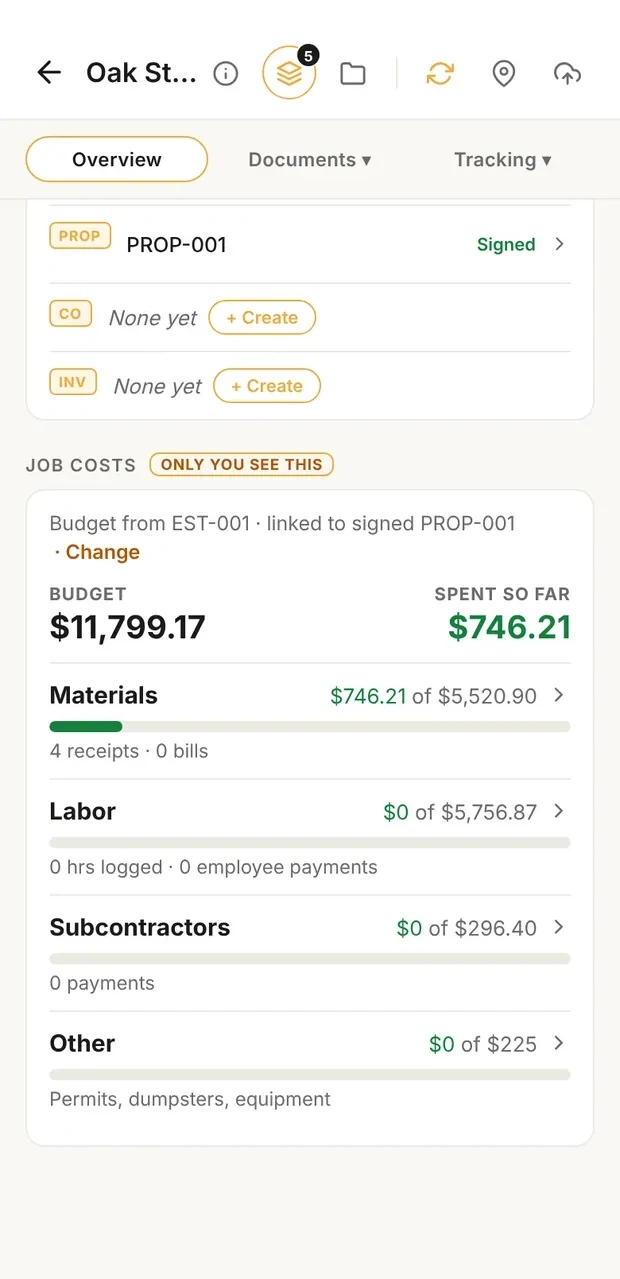
| Job costingWhat the job actually cost, with a variance and catalog learning loop. | ✓ Every planSolo, $12.50 a month billed annually | Grow, $149Not on Core or Connect | ✓ IncludedPlan not stated. Original and revised budgets; job costing reports | ✓ IncludedBudget vs actual, variance | ✓ Core+, $599Estimate against actual | ✓ Advanced, $329 or $399Feature page says from $99; pricing page lists Advanced only | Elite, $32Job expenses and profit-margin reports; no estimate-against-actual review |
|---|
| Accountant export packageA package of the business's records prepared for an accountant. | ✓ Every planSolo, $12.50 a month billed annually | QuickBooks, XeroIntegrations | QuickBooks syncTwo-way, Online and Desktop | QuickBooks OnlineTwo-way sync | QuickBooks, Core+QuickBooks Online Core+, Desktop Pro; CSV export | QuickBooks syncSync and Accountant's View, no export package | CSV and QuickBooksMonthly CSV of document totals from the web; QuickBooks Online sync |
|---|
| Time reporting with CSV exportReported labor time with a time-tracking CSV export for payroll preparation and per-person rate decomposition. | ✓ Every planSolo, $12.50 a month billed annually | ✓ From Connect, $99Timesheet report, Excel export | ✓ IncludedPlan not stated. Time card reports; Gusto export | PartlyHours to QuickBooks Time; CSV table export | ✓ Starter, $199Timesheets, CSV export; QuickBooks from Core+ | ✓ Every planTime, labor and payroll reports; export format not stated | Not found |
|---|
| Jobsites and teams | 2 of 8 | 6 of 8 | 7 of 8 | 7 of 8 | 6 of 8 | 6 of 8 | 0 of 8 |
|---|
| Teams: up to 10 linked accountsUp to 10 accounts, including the owner, sharing one business. | ✓ TeamsTeams, $83.33 a month billed annually | ✓ Priced per user$29 each extra | ✓ Standard, $105Up to 3 users; feature pages say unlimited users | ✓ Priced per user$20 each extra, users 2 to 10 | ✓ Starter, 3 usersCore 10 users, $399 | ✓ Priced per user1 user on Core, 10 on Advanced, $29 each extra | NoOne user, one login per account |
|---|
| Role-based permissionsFive roles: owner, admin, staff, contributor, viewer. | ✓ TeamsTeams, $83.33 a month billed annually | ✓ Every plan | ✓ IncludedPlan not stated. Custom roles, four access levels per feature | ✓ IncludedCustom roles | ✓ Permission profilesView, add, edit, delete per feature; plan not stated | ✓ Per-user permissionsAccess type plus module checkboxes; plan not stated | NoOne user, one login per account |
|---|
| Unlimited subcontractor linkingSubs share jobsite photos and notes into the business account without consuming a seat. | ✓ TeamsTeams, $83.33 a month billed annually | Not foundSubs need a paid seat | Not foundSub project access exists; seat use not stated | ✓ Free, unlimitedSub and vendor portals | Core+, $599Unlimited sub profiles; help center says subs cannot log in | Paid seatsSubs who need the app are paid users; no guest access | NoOne user, one login per account |
|---|
| Jobsites tab: jobs and schedule in one placeA Jobsites tab with Jobs and Schedule views. With Assistant each job has its own screen with its schedule, photos, and updates, and the Schedule view holds every install, delivery, inspection, appointment, and follow-up; Teams adds the crew and subs on each job, shaped by role. Subs invited to a job use it free and see their own jobs grouped by builder. | ✓ Assistant and TeamsAssistant, $41.67 a month billed annually | ✓ Every planJobs | ✓ IncludedPlan not stated. Projects | ✓ IncludedUnlimited jobs | ✓ Starter, $199Projects with schedule, photos and files | ✓ Every planJobs, job board and calendars | Run, $70Jobs and visits in a calendar, for one person; no photos, crew or subs |
|---|
| Job scheduleSchedule installs, deliveries, and inspections on each job, with the contractor, a supplier, or nobody yet on each item, and see them all in the Jobsites tab. Putting crew or subs on an item is the Teams shared schedule. | ✓ Assistant and TeamsAssistant, $41.67 a month billed annually | ✓ Every planScheduling | ✓ IncludedPlan not stated. Gantt scheduling per project | ✓ IncludedCalendar, Gantt and list | ✓ Starter, $199Tasks; Gantt from Core+ | ✓ Every planGantt with dependencies | Run, $70Visits on each job with overlap alerts; no suppliers or assignees |
|---|
| Shared job scheduleOne schedule for the business: installs, deliveries, and inspections visible to the team, with clash notes when dates collide. | ✓ TeamsTeams, $83.33 a month billed annually | ✓ Every plan | ✓ IncludedPlan not stated. Gantt and crew schedule; no clash alerts found | ✓ IncludedTasks to multiple people, calendar sync | ✓ Starter, $199Calendar views; overbooking heat map | ✓ Every planJob and resource boards, crew notifications | NoRun scheduling is for one person |
|---|
| Punch listsThe small final items that close a job out, tracked per job and shareable as a text message or a PDF. | ✓ Every planSolo, $12.50 a month billed annually | From Connect, $99Checklists, emailed as PDF | ✓ IncludedPlan not stated. Punchlists, sent as PDF | PartlyTasks and to-dos | PartlyTask steps; printable, not shared as text or PDF | Not foundTasks and deficiency notes only | Not found |
|---|
| Job site photosPhotos saved to the project with full-screen viewing. | ✓ Every planSolo, $12.50 a month billed annually | ✓ Every planAttachments | ✓ IncludedPlan not stated. Files and Photos, with markup | ✓ IncludedFiles, photos and video; daily logs | ✓ Photo captureTags, galleries, markup; plan not stated | ✓ Mobile appPhotos uploaded to the job; plan not stated | Pro, $17Photos attach to estimates and invoices (up to 20); not to jobs |
|---|
| Backup and offline | 3 of 5 | 2 of 5 | 2 of 5 | 2 of 5 | 2 of 5 | 2 of 5 | 2 of 5 |
|---|
| Full job workflow, offlineLeads, design agreements, estimates, proposals, change orders, and invoices on the phone, working without a connection. | ✓ Every planSolo, $12.50 a month billed annually | PartlyForms, visit details and time only | Not foundOffline use not stated | Not foundOffline not stated | PartlyPhotos queue on a weak signal; nothing else stated | PartlyTime check-in only; estimates and invoices not stated | NoJoist says it needs an internet connection to work |
|---|
| Cloud backupBusiness data backed up to the cloud and restorable on a new device. | ✓ Assistant and TeamsAssistant, $41.67 a month billed annually | ✓ Cloud software | ✓ Cloud softwareWeb and mobile app | ✓ Cloud software | ✓ Cloud software | ✓ Cloud software | ✓ Every planData lives on Joist's servers; data may be deleted without a paid plan |
|---|
| Business portal: read-only web viewA read-only view of the business in a browser. | ✓ Assistant and TeamsAssistant, $41.67 a month billed annually | ✓ Web app | ✓ Web app | ✓ Web app | ✓ Web app | ✓ Web appFull office web app | ✓ Every planFull web app at pro.joistapp.com, not read-only |
|---|
| Device backup, restore, CSV export, bulk importLocal backup and restore with CSV export and bulk import. | ✓ Every planSolo, $12.50 a month billed annually | PartlyClient CSV import and export only | PartlyCSV import and export of some records | PartlyCSV export of tables, data imports | PartlyCSV export and import; no backup or restore | PartlySpreadsheet import only; no export or backup described | CSV export onlyMonthly CSV from the web; no backup, restore or import |
|---|
| No account required to startThe app opens to local use; an account is needed only for server features or subscribing. | ✓ Every planSolo, $12.50 a month billed annually | Not foundStarts from a Jobber subscription | Not foundStarts from a 30-day trial on the plans page | Not foundStarts from a paid subscription | Not foundStarts from a Projul signup | Not foundStarts from a 14-day trial account | NoData is hosted online and reached with your login; 14-day trial, no card |
|---|