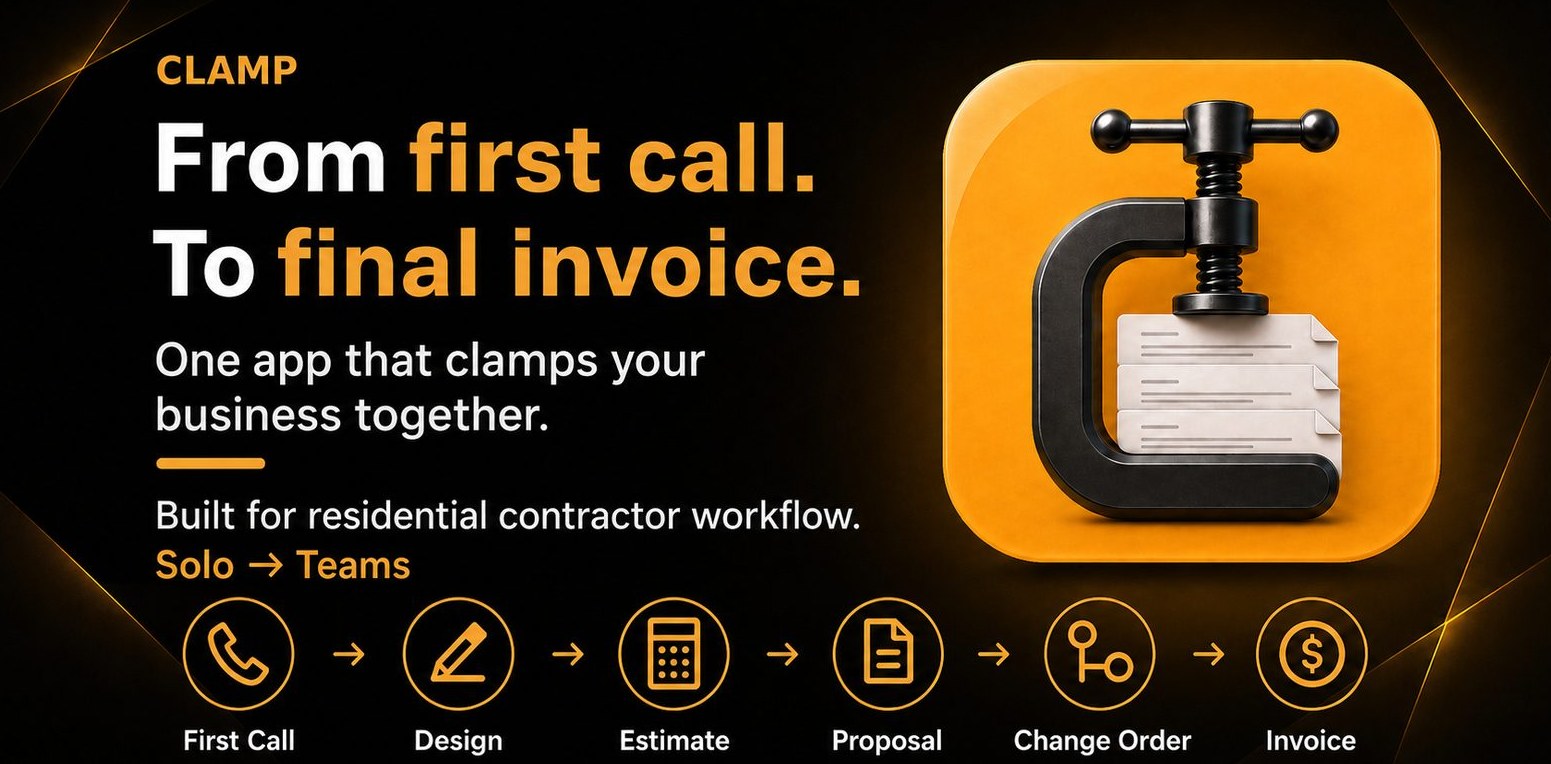
Clamp — From first call to final invoice. One app that clamps your business together. Built for residential contractor workflow, Solo to Teams.
Track leads, mileage, receipts, photos, and time on site
5 documents, signed on the homeowner's phone
Push notifications for follow-ups & appointments
Mobile-native
Works offline
No account needed to start
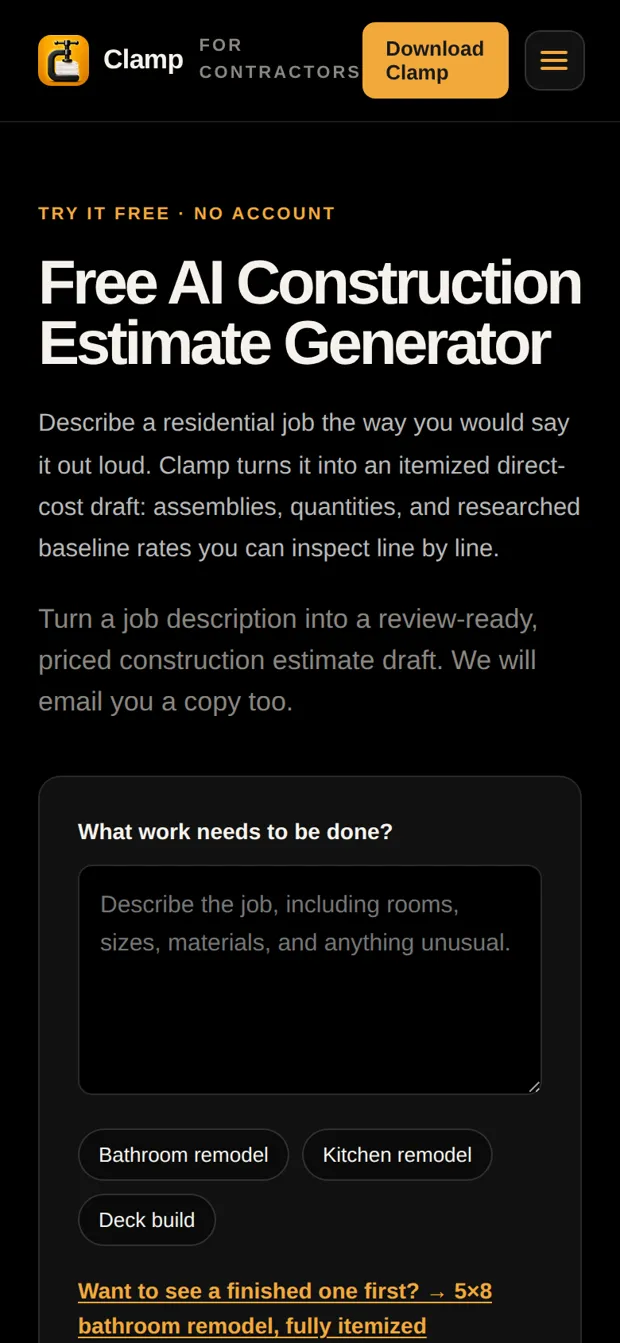
Try it before you download

Two ways to see Clamp work, no account needed.

Describe a job of your own and get an itemized cost draft, or open the customer portal on a real bathroom job.
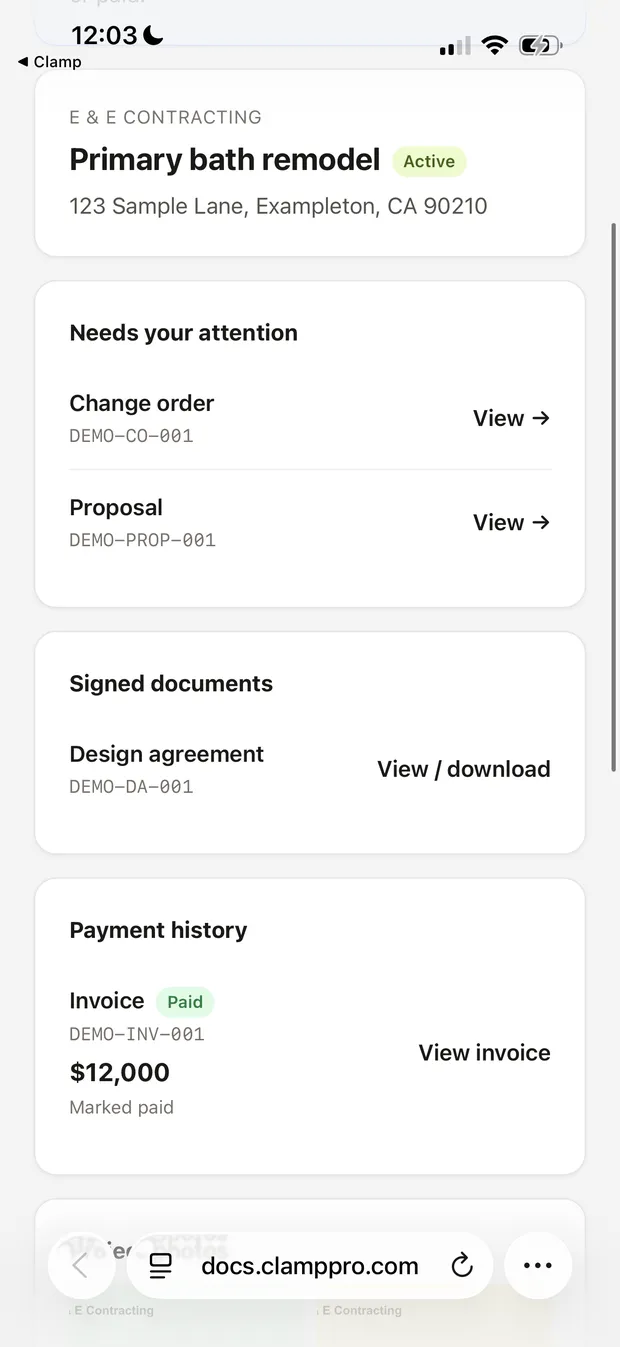
The customer portal on a phone: the project overview with documents to review and payment history
The whole job, one link
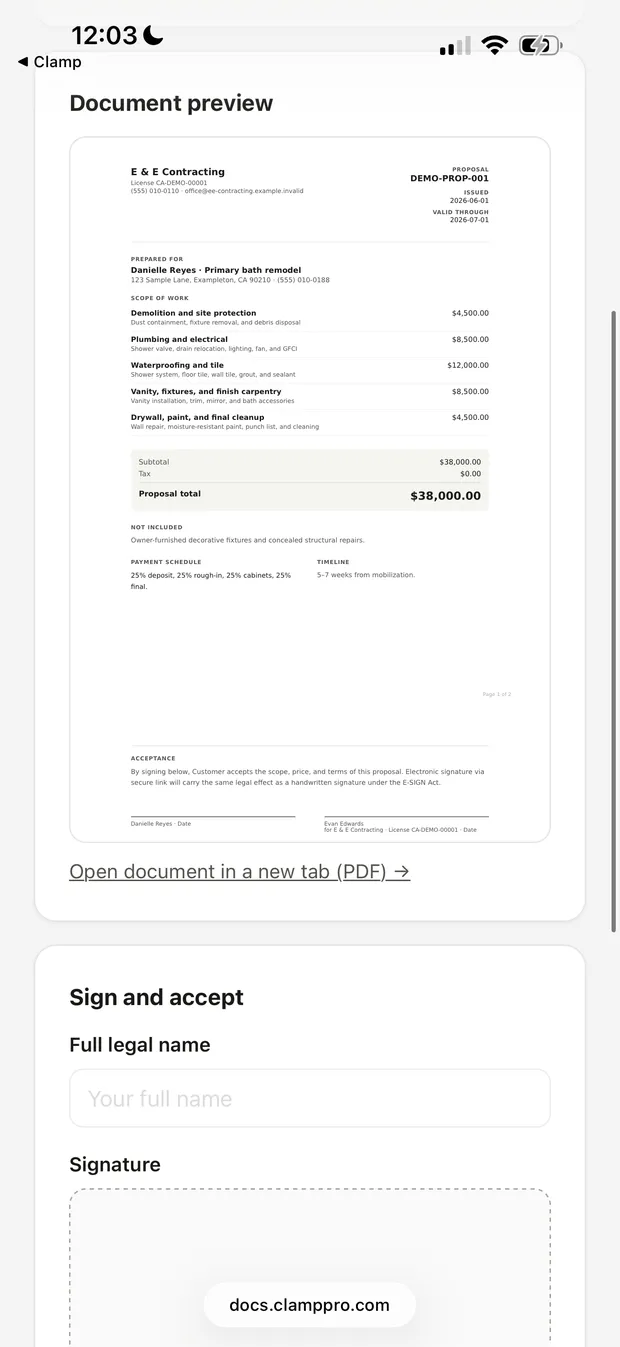
The customer portal on a phone: a proposal preview with a place to sign
Read it, then sign it
How it works

One smart workflow. No re-typing.

One document for each stage of the job, each filled in from the last. Two of them you can try above, no account needed.

The whole method on one page: first call to closeout →
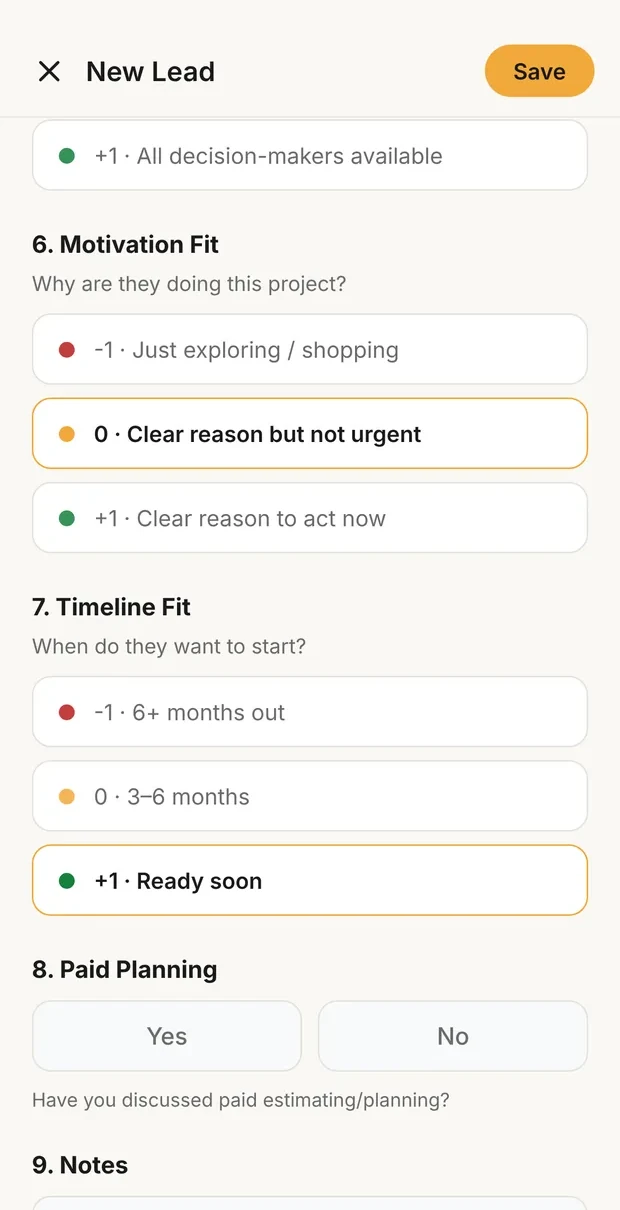
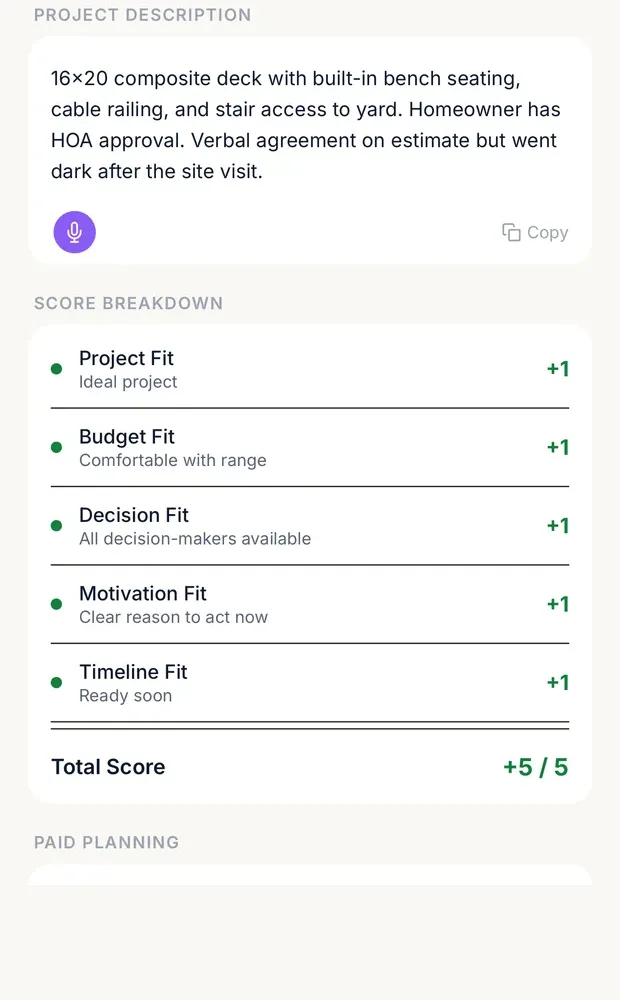
New lead form scoring motivation and timeline fit while the caller is on the phone
Score it on the call
Lead detail with a score breakdown of five fit questions totaling +5 of 5
Great fit, 5 of 5
Step 1

First Call

Log the lead in 30 seconds, then score it on five questions before you drive anywhere.

Lead · Smith kitchen Great fitLearn the method: how to handle the first call →
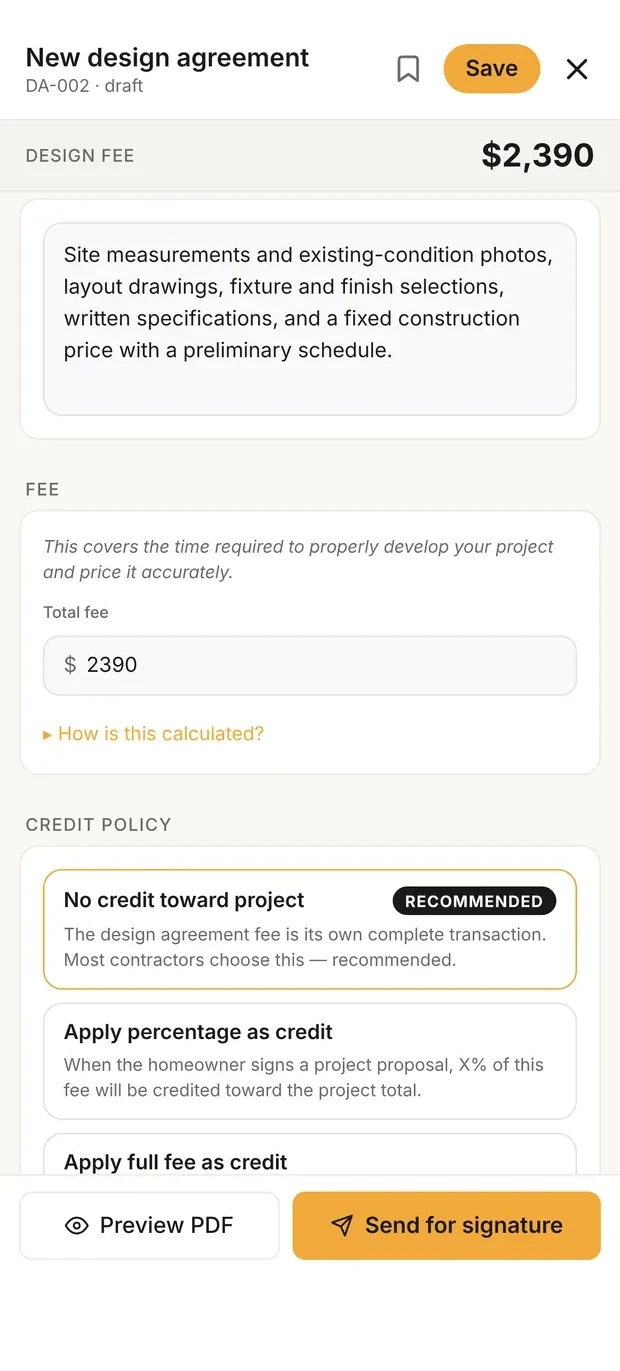
New design agreement with the scope of work, the design fee and the credit policy
Fee and credit policy
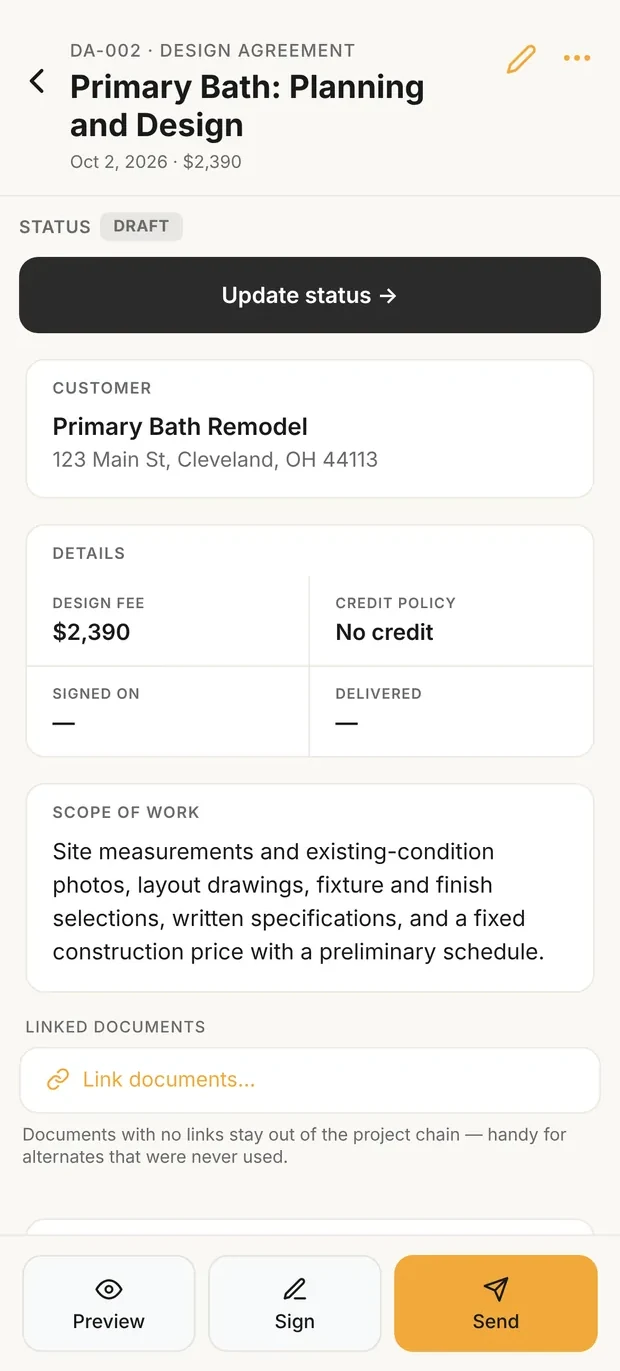
Design agreement detail with the fee, scope of work and a Send button
Ready to send
Step 2

Design Agreement

Send a paid agreement before you spec a single cabinet. The homeowner signs on their phone.

Design agreement · $1,200 SignedLearn the method: how to write a design agreement →
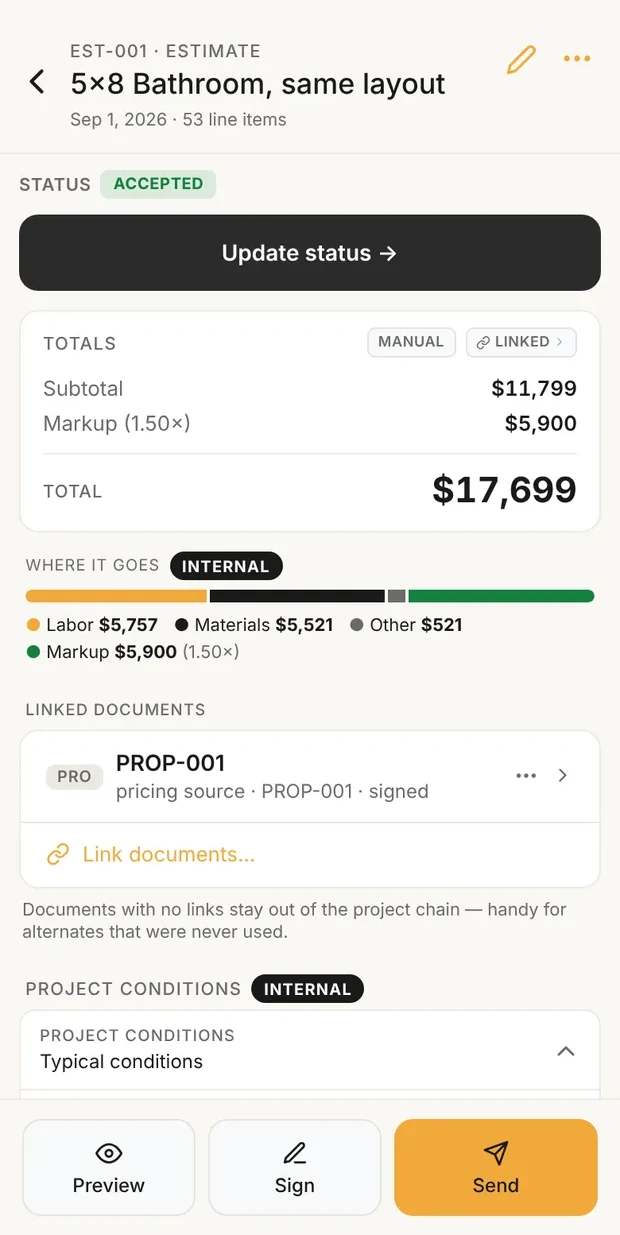
Estimate detail showing subtotal, markup and total, with a bar of where the money goes
Cost, markup, price
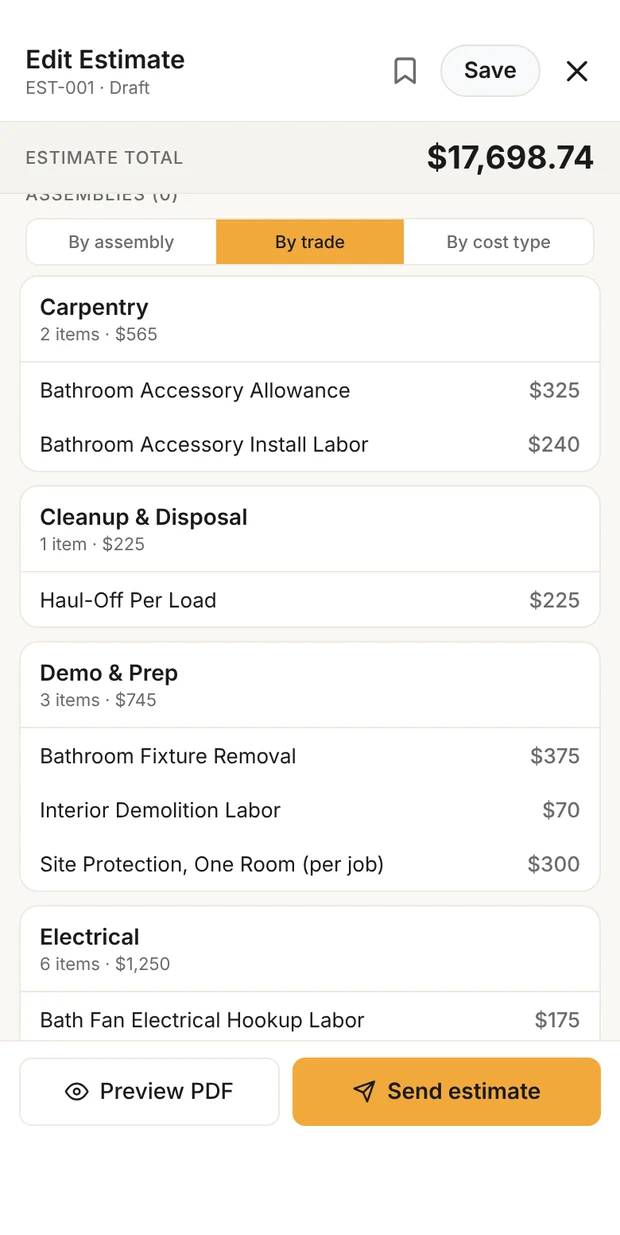
Estimate lines grouped by trade: carpentry, cleanup and disposal, demo and prep, electrical
Every line, by trade
Step 3

Estimate

Build it on your phone from ready-made assemblies, with allowances and exclusions.

Estimate · $24,000 ApprovedTry it: describe a jobGet an itemized cost draftLearn the method: how to write an estimate →
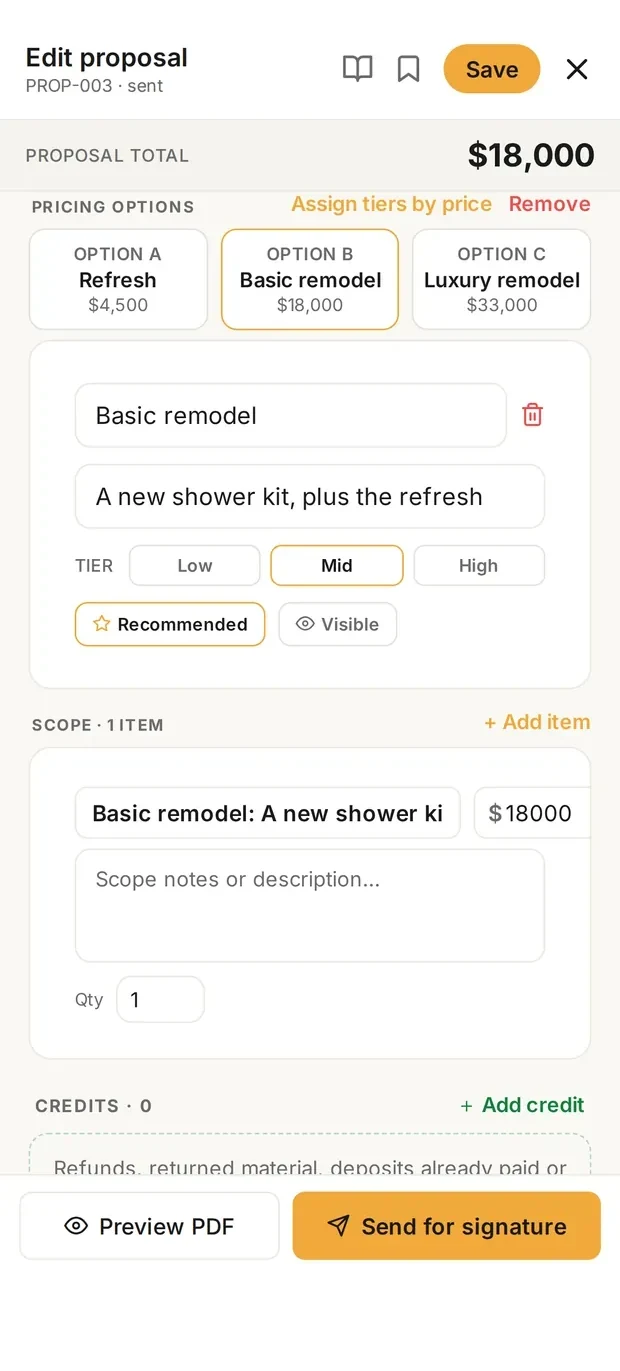
Proposal editor with three pricing options at different tiers
Options at three prices
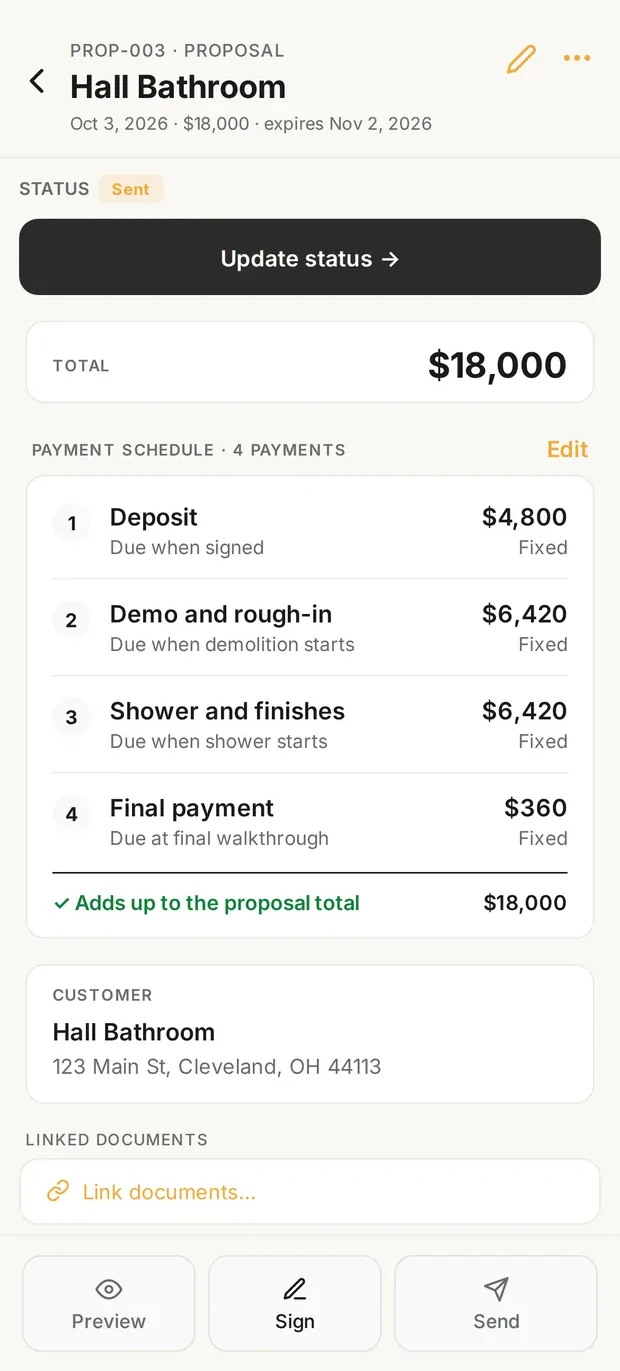
Signed proposal with its payment schedule, each payment tied to a stage
Payments by stage
Step 4

Proposal

Scope, schedule and payments in plain language. Signed on the homeowner's phone.

Proposal · $24,000 SignedSee what your customer seesLive demo, about a minuteLearn the method: how to write a proposal →
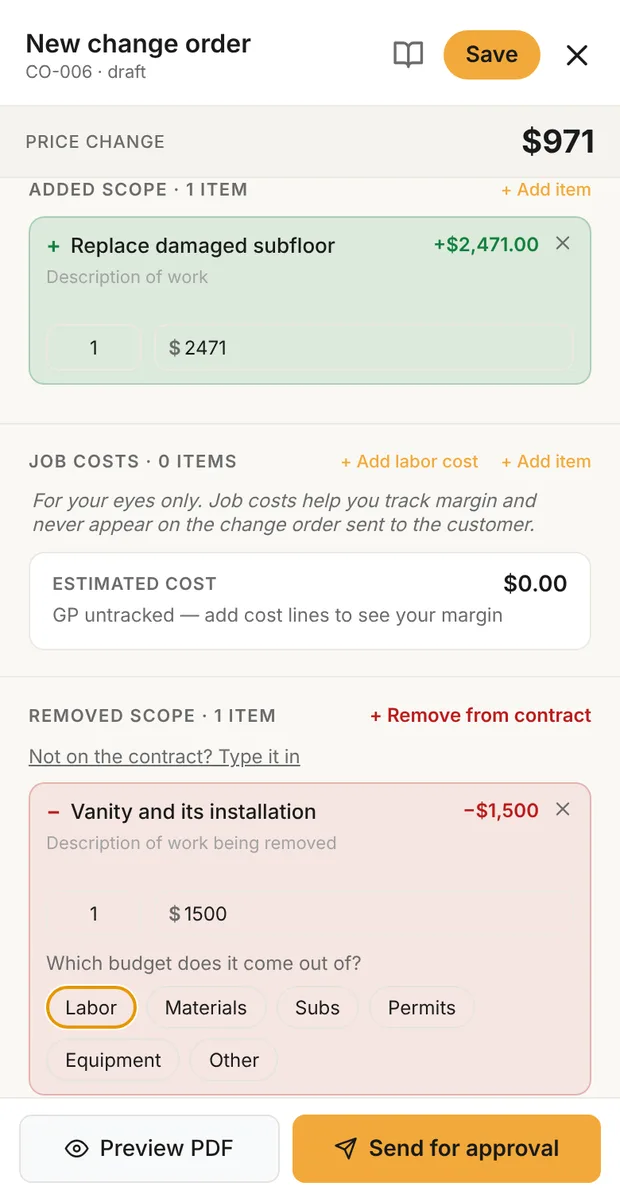
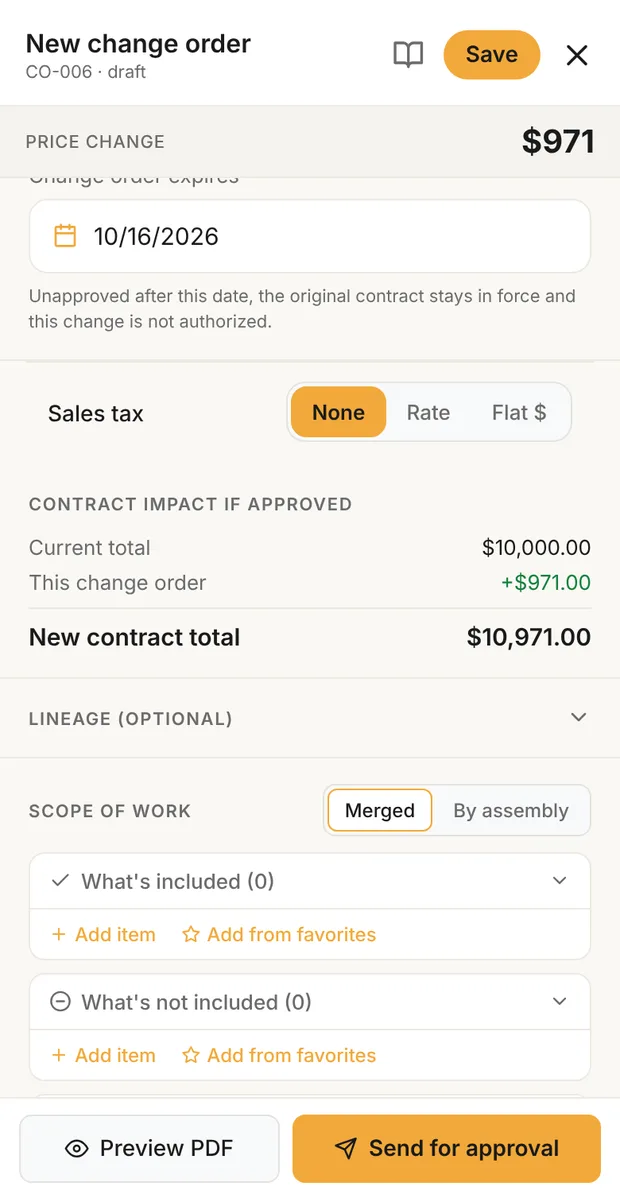
Change order form with an added line for replacing damaged subfloor and a removed line for the vanity, with the price change at the top
Added and removed scope
Change order showing the approval deadline, sales tax and the contract impact: current total, this change order and the new contract total
New contract total
Step 5

Change Order

Price the extra work on the spot, at your change order markup, and get it signed before the work starts.

Change order #1 · +$2,400 SentLearn the method: how to write and price a change order →
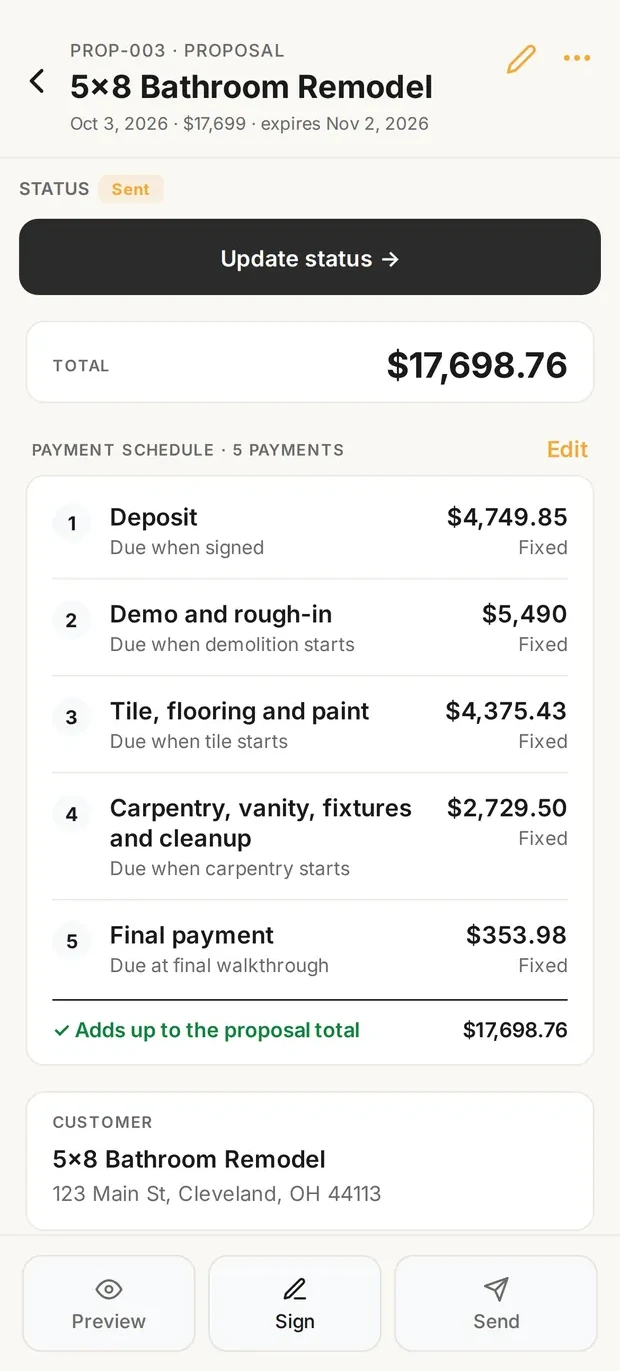
Proposal payment schedule with five payments that add up to the proposal total
The schedule it bills from
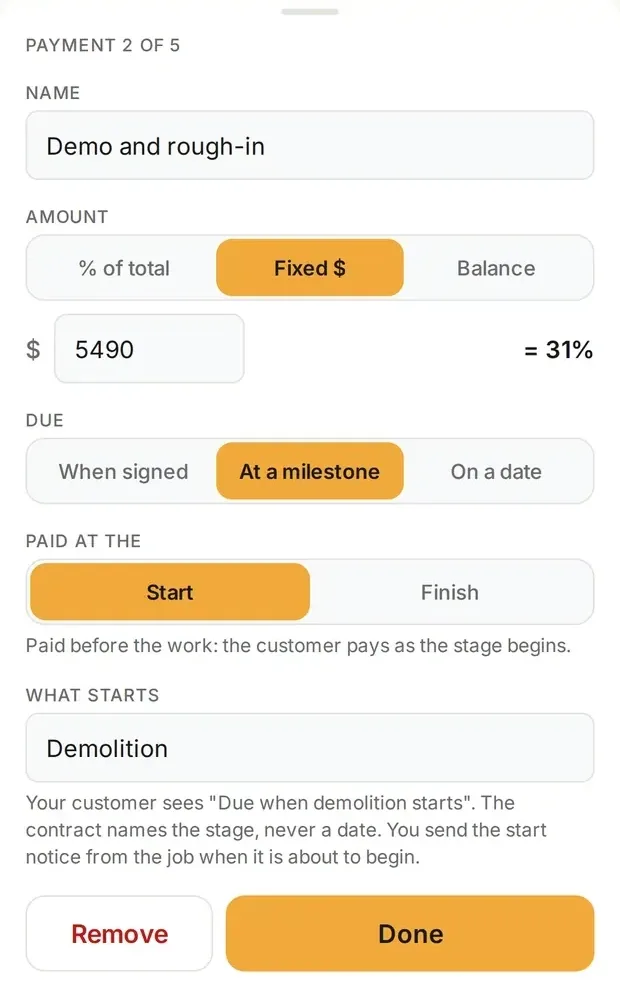
Payment editor setting a payment due when demolition starts
Due when a stage starts
Step 6

Invoice

Bill each milestone from the signed proposal, with any change orders included. Send a payment link.

Invoice · deposit $13,200 PaidLearn the method: how to set a payment schedule →
On every job, in the background

The costs you'd forget, logged for you.

While the six documents move the job forward, Clamp keeps the record that tells you what the job really cost.
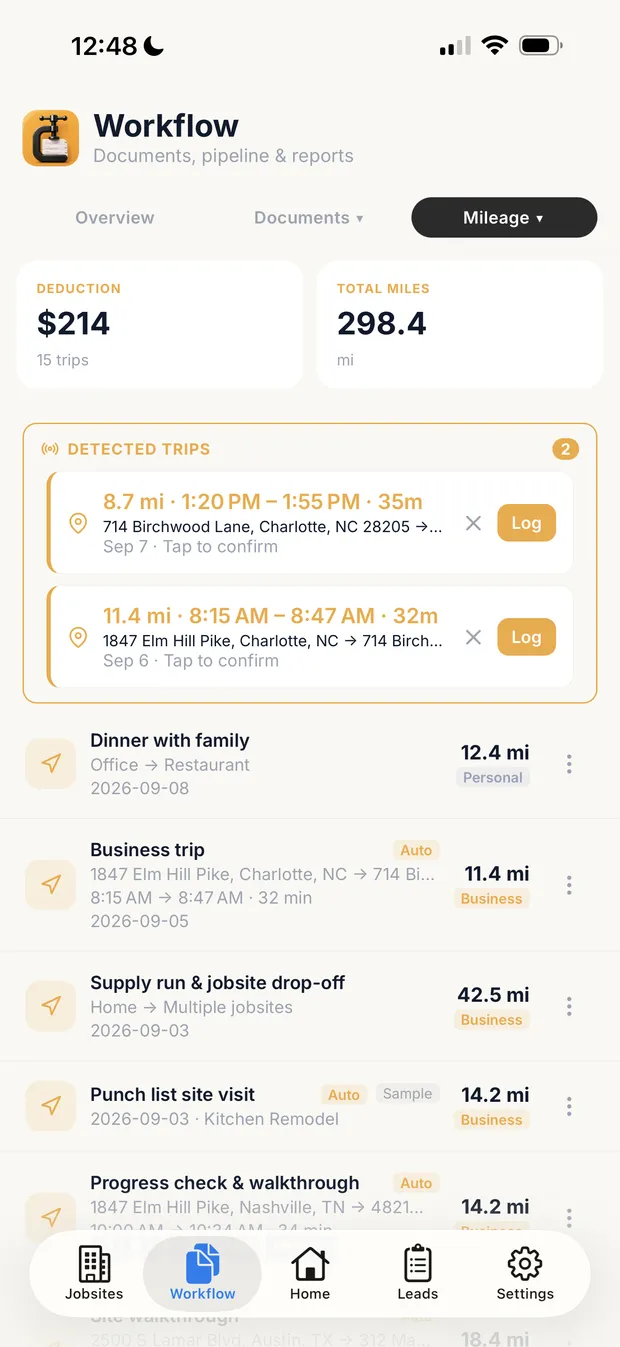
Mileage screen with detected trips awaiting confirmation and logged trips, one attached to a job
Detected, then confirmed
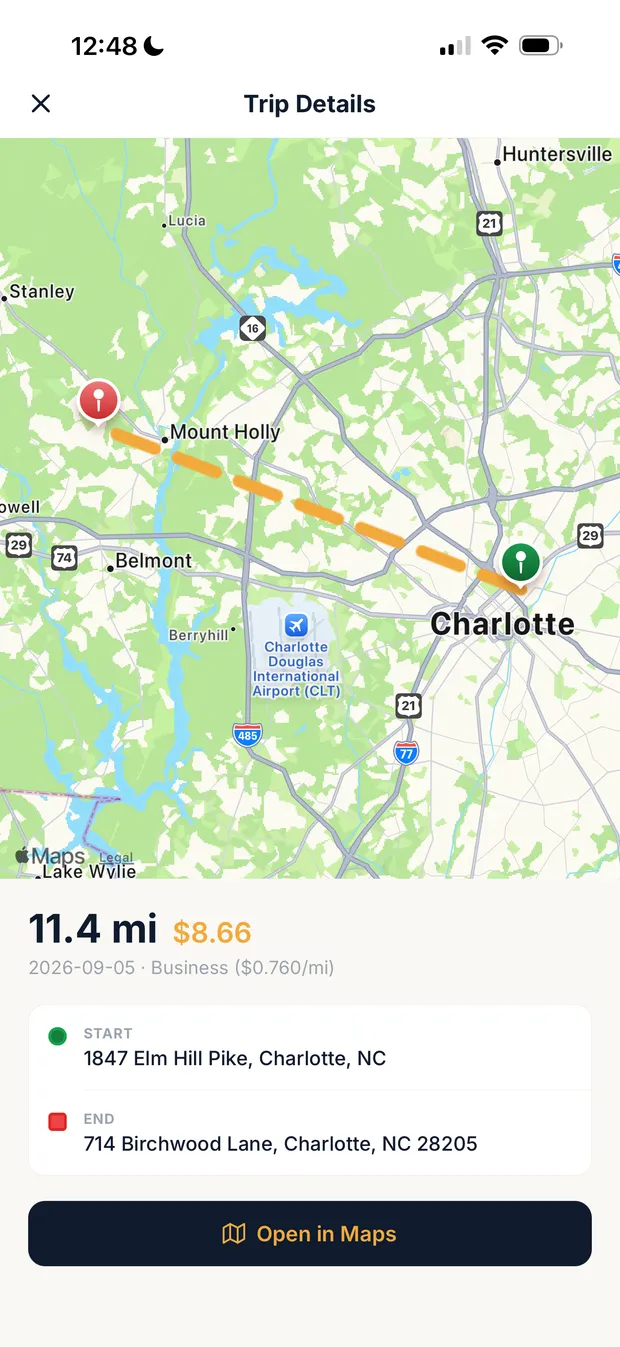
Trip detail showing miles, the IRS rate for the trip date, and start and end addresses
Rate by trip date
Step 7

Mileage

Drives are detected and wait for you to confirm them. Each trip can sit on its job and carries the IRS rate for its date.

Learn the method: how to keep a mileage log →
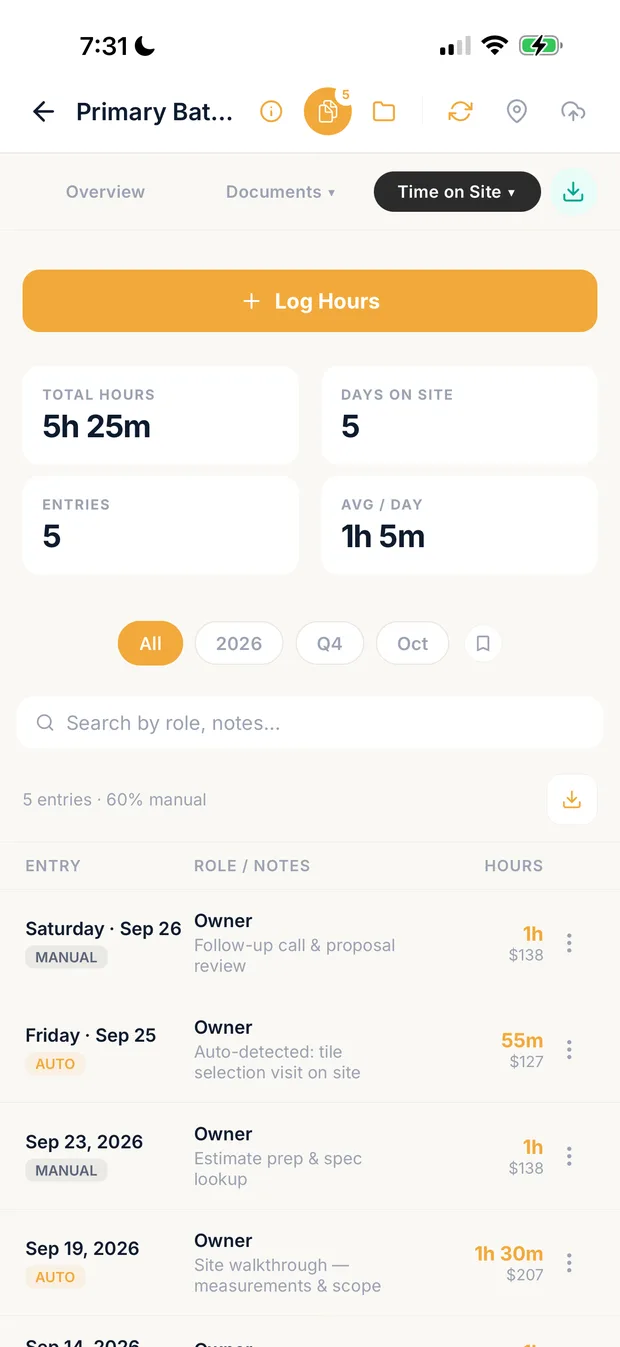
Time on site for a bathroom remodel: total hours, days on site, and manual and auto-detected entries
Hours on the job
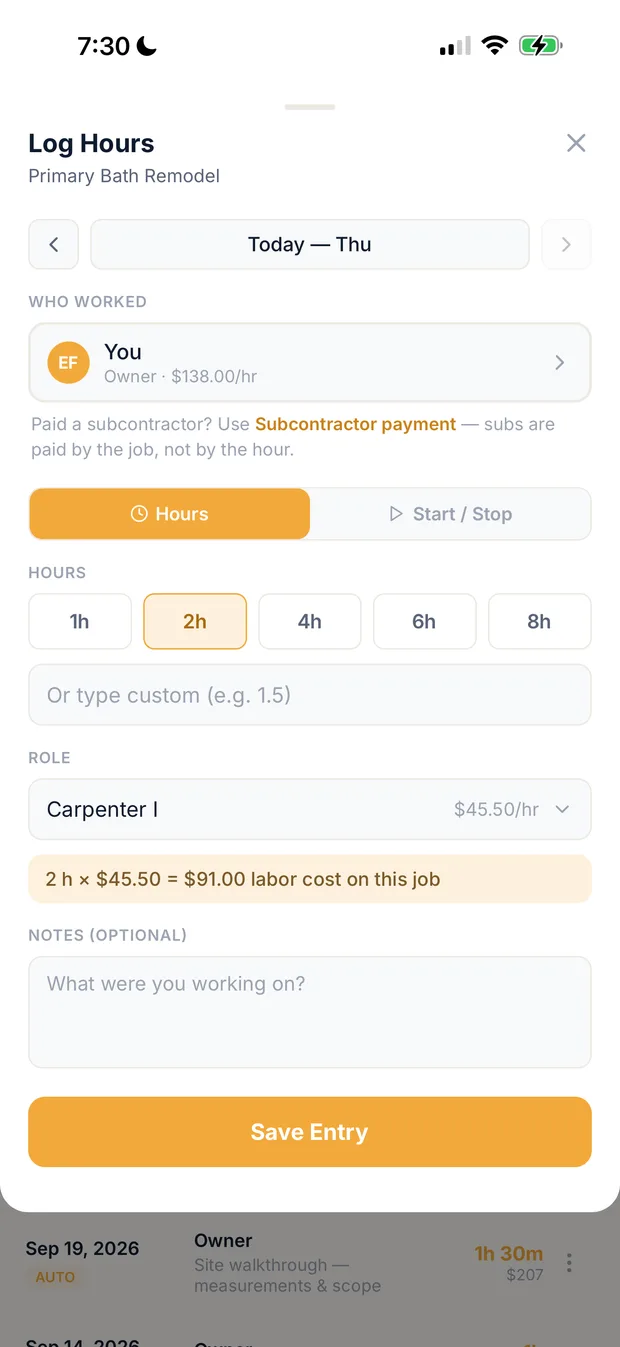
Log hours sheet: who worked, the hours and the role, with the labor cost on the job
Log hours by role
Step 8

Time on site

Log hours on the job by role, or let site visits be detected for you. Each hour lands on the job at its role's rate.

Learn the method: how to track time on a job →
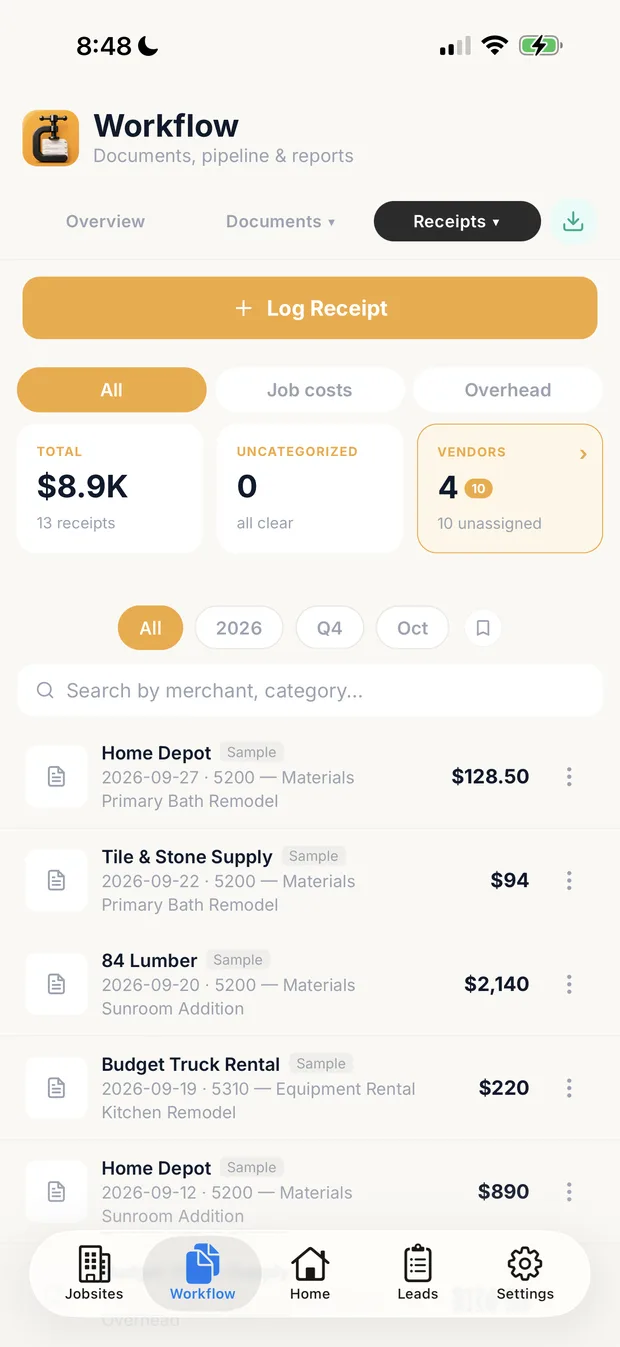
Receipts list filtered by job costs and overhead, each receipt on a job and an account
Job costs and overhead
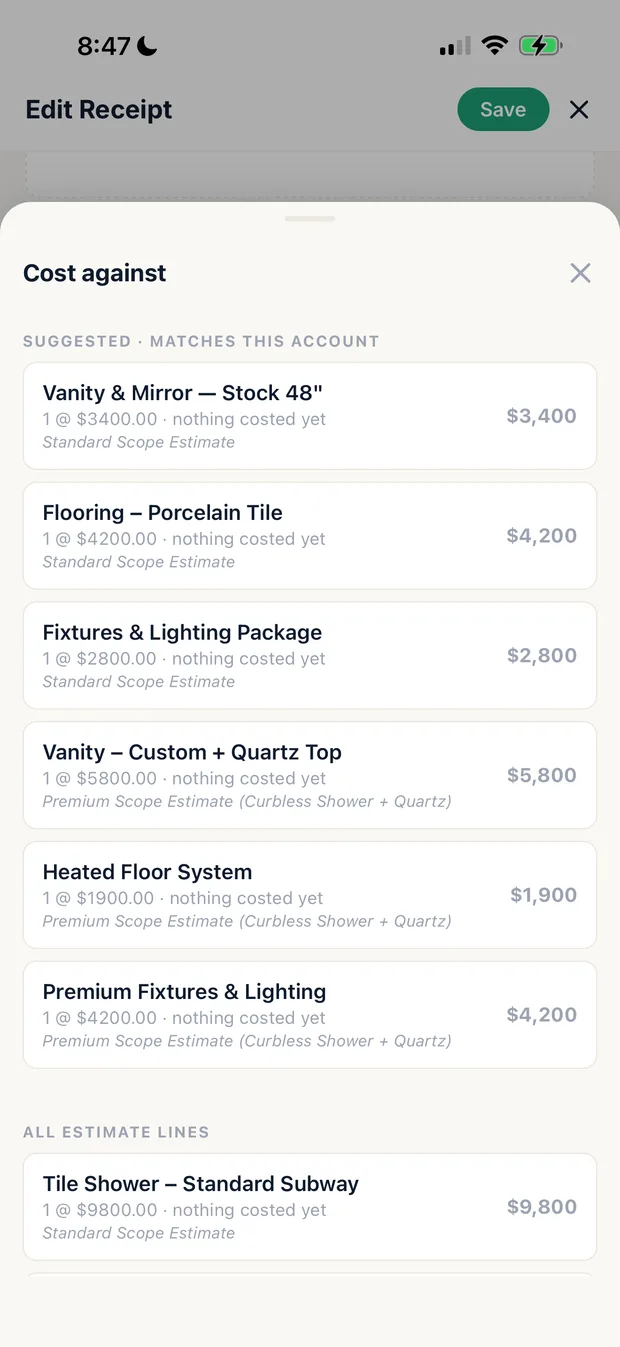
Cost against sheet listing the estimate lines a receipt can be costed to
Cost it to an estimate line
Step 9

Receipts

Log a receipt, sort it into job cost or overhead, and cost it against the estimate line it paid for.

Learn the method: how to track job receipts →
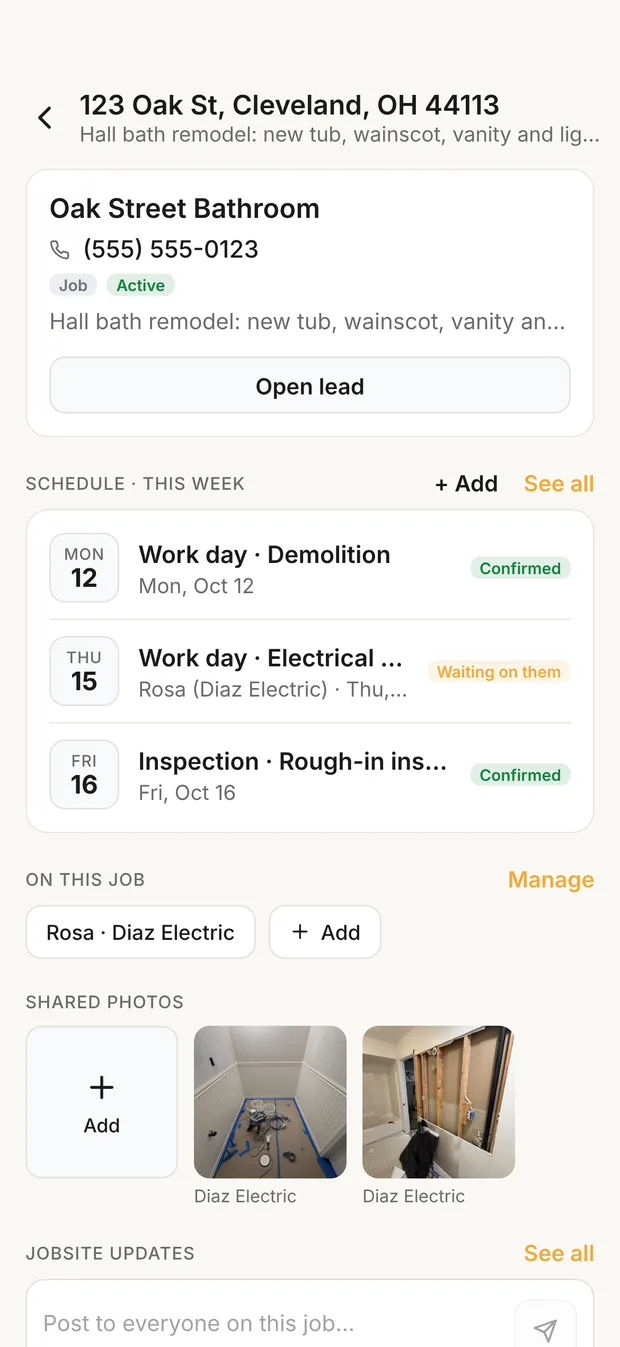
A job's Jobsites screen: this week's schedule with demolition and the rough-in inspection Confirmed and the electrical rough-in Waiting on the sub, the sub on the job, and two shared photos
Dates confirmed by both sides
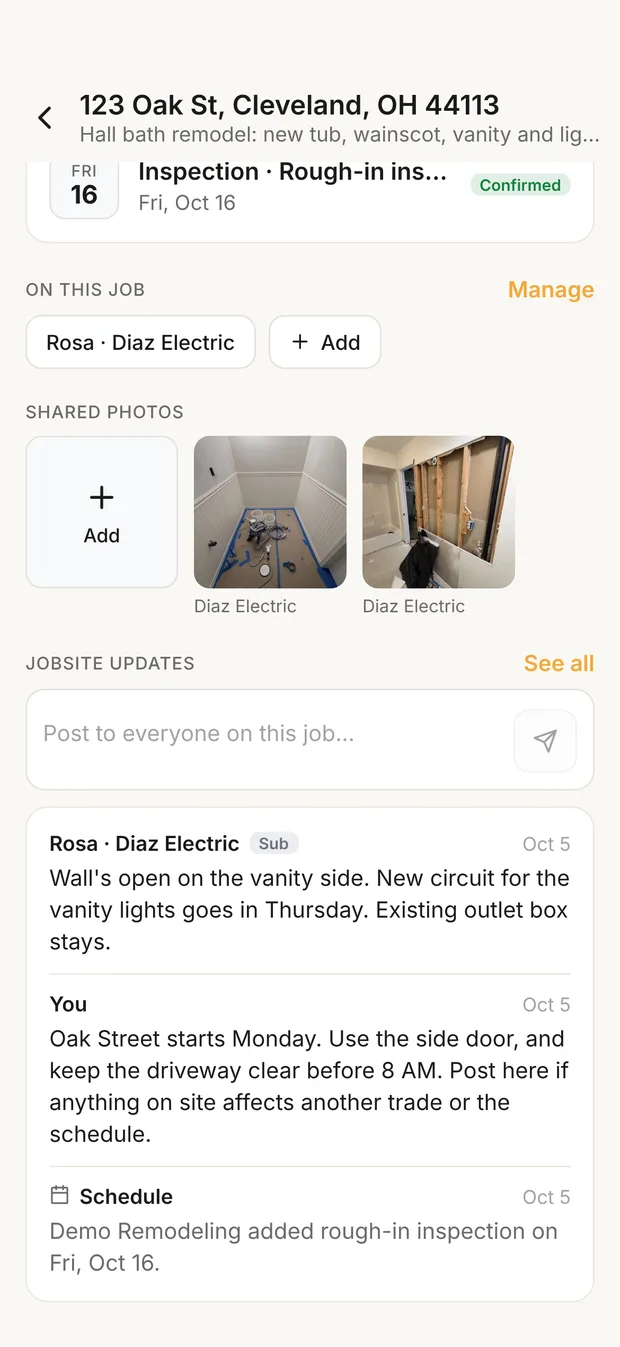
Shared photos from the electrician and the jobsite updates: the sub's field note, the first post to everyone on the job, and an automatic schedule line
Shared photos and updates
Step 10

Jobsites

Bring your crew and subs onto a job. Ask for dates and see them confirmed, share only the photos they need, and keep the job's updates in one thread.

Learn the method: how to coordinate a jobsite →
Pricing

Pick the plan that sounds like you, your customers, and your team.

One app, three plans. Higher plans replace lower ones; you hold one plan at a time and you're never billed for both.

Subscribe in the app — billed by Apple or Google. Cancel anytime.
What it replaces

One app. Eight tools you no longer need.

Notes app. Random photos. Paper estimates. The spreadsheet you started in 2021. That's the solo version. The company version costs more: DocuSign for signatures, CompanyCam for photos, a timesheet app for the crew. Whether it's just you or a crew of ten, Clamp replaces all of it, from $12.50/mo on annual.

Clamp
Lead to invoice. One app.
$12.50/mo on annual
✓ One app
Jobber
Field service mgmt
$39–$349/mo
✕ Replaced
Housecall Pro
Field service mgmt
$59–$189/mo
✕ Replaced
Joist
Estimates & invoices
$10–$32/mo
✕ Replaced
Invoice Simple
Capped invoicing
$7–$17/mo
✕ Replaced
MileIQ
Mileage tracking
$12–$14/mo
✕ Replaced
DocuSign
E-signatures
$10–$25/mo
✕ Replaced
CompanyCam
Jobsite photos
$24–$36/mo
✕ Replaced
QuickBooks Time
Time tracking
$20+/mo
✕ Replaced

Clamp price shown on annual billing. Monthly $19.99.

Feature Clamp Typical app
Lead tracking ✓Turn every call into a tracked lead ✕Not in invoice apps
Design agreements ✓Charge for estimates ✕Not available anywhere
Estimates ✓Mobile-native estimate builder ~Yes in most
Branded proposals ✓Your logo, signable on phone ~Often paywalled
Change orders ✓Capture & bill on the spot ✕Joist Elite tier only
Invoices with payment links ✓Unlimited, no caps ~Often capped or extra
Auto GPS mileage tracking ✓Built in, linked to jobs ✕Separate app required
Auto time on site tracking ✓Logged automatically per job ✕Manual timer or none
Receipt capture ✓Snap, tag to job, export ✕Separate app required
Project photos ✓Attached to leads & jobs ~Separate $24+/mo app like CompanyCam
Works fully offline ✓100% local storage ✕Most require cloud
No account to start ✓Local-first — account only for cloud features ✕Account required by all
E-signatures ✓Signed on the homeowner's phone ✕Separate tool or top tier
Customer portal ✓Branded to your business ✕Rare below team plans
AI estimate drafts ✓Speak the job, review the draft ✕Not available in most
Cloud backup + web view ✓Optional — restore is never paywalled ✕Cloud required; cancel = locked out
Team seats ✓Up to 10 on one subscription ✕Per-user fees
Built for solos ✓Solo-first — grows to a crew of 10 ✕Team-shaped or stripped down
Your stack today
$60–$120/mo
Five to eight apps, just you
$200+/mo
With a crew, per-user fees
With Clamp
$12.50/mo
One app, everything above
$83.33/mo
Whole crew of 10, on Teams
Annual billing. Monthly plans available. Save up to $1,200/yr
Clamp Assistant

The Assistant does the office work.

A one-person business has never been able to afford an office. Assistant is the upgrade for contractors who want the work done, not just organized.

Estimates

Speak the job, get the draft.

Describe the scope in the driveway. Your Assistant drafts the line items, quantities, and prices from real assemblies — you review and approve. 25 AI credits a month, each AI estimate is 1 credit.

Signatures

Documents that chase themselves.

Send proposals, change orders, and agreements for e-signature. Homeowners sign on their phone — no app, no account, no printing.

Portal

Every customer gets a portal.

Proposals, invoices, and job photos in one place, branded to your business — not ours.

Backup

Your business, backed up.

Automatic cloud backup of your whole business. New phone? Sign in and restore. And see everything from any browser in the Clamp web view.

Clamp Teams

When it's not just you anymore.

Clamp is built for one person first. Teams is for the day you put a second phone on the payroll — without handing anyone your login.

  • Up to 10 people on one subscription — everyone gets their own sign-in
  • Their hours, mileage, and receipts land on your jobs, attributed to them
  • You decide what each person sees — a viewer for the bookkeeper, a contributor for the new guy
  • Link outside subs to a jobsite free — photos and updates flow in, and they never take a seat

Everything in Assistant is included — 50 AI credits a month, shared across the team.

The reality

The thoughts you're having at 7am.

Solo contractors don't lose jobs because they're bad at the work. They lose them because the paperwork around the work is falling apart. Here's what's actually on your mind — and how Clamp answers it.

7:04 AM

"I'm drowning in leads. I can't keep track of who I quoted, who I followed up with, or who ghosted me."

What you're thinking

in the truck, before the first coffee

Clamp answers:
Every call becomes a tracked lead with project type, source, follow-up date, and notes. You see your whole pipeline in one screen, sorted by what needs attention today.
12:32 PM

"I need to get this estimate out today. The homeowner's going to ghost if I take another week."

What you're thinking

eating lunch in the truck after a walkthrough

Clamp answers:
Build the estimate on your phone before you leave the driveway. Pick assemblies from the library, set allowances, add line items. Send the proposal the same day.
2:18 PM

"I don't want to miss scope. Last job I forgot to bill the demo and ate $1,200."

What you're thinking

walking a job with a clipboard

Clamp answers:
Assemblies bundle all the included scope so you stop forgetting line items. Allowances flag what's not included. Exclusions are clear from day one.
4:47 PM

"I don't want the homeowner arguing about price at the end. I want them to know what they're getting before they sign."

What you're thinking

drafting a proposal at the kitchen table

Clamp answers:
Proposals show included scope, exclusions, and allowances in plain language. Homeowner signs on their phone. No surprises at the final invoice.
6:21 PM

"I need this proposal to look professional. The bigger guy down the road has branded PDFs and I'm sending a Word doc."

What you're thinking

comparing yourself to a competitor's quote

Clamp answers:
Branded proposals with your logo, payment schedule, scope, terms, and signature line. Sent as a clean PDF link. You look like the pro you are.
9:13 PM

"I can't spend four hours estimating every kitchen. Half of them ghost me anyway."

What you're thinking

at the desk after dinner, dreading the evening

Clamp answers:
Pre-built assemblies for common scopes mean the estimate is 80% done before you start typing. Voice-to-estimate is coming. Get the proposal out in 20 minutes, not four hours.

One app. From the first call to the final invoice.

Built for the solo contractor who's tired of stitching four apps together. Try it free.

Download on theApp Store Get it onGoogle Play
Free tools & research

Published numbers, not opinions.

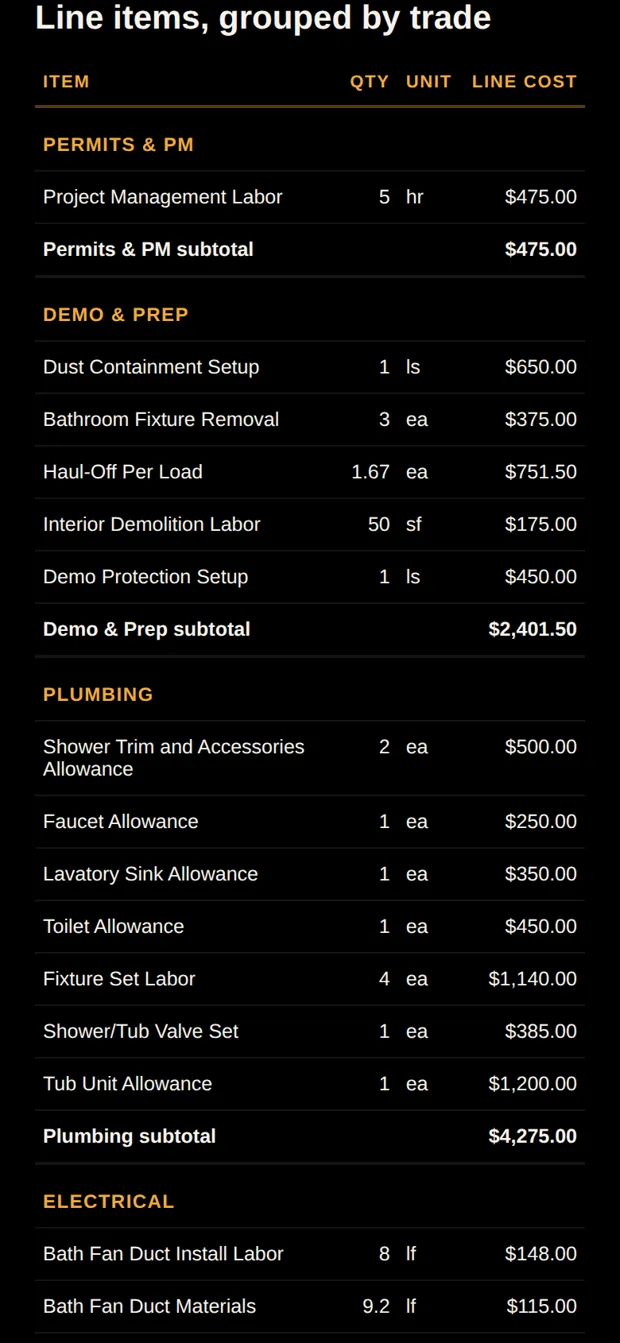
A free estimate generator and contractor pricing research built on a fully itemized, published job. Every figure traces to data you can open.
Free tool AI construction estimate generator Describe a job in plain words, get an itemized direct-cost draft with assemblies, quantities, and researched rates. Published estimate 5x8 bathroom remodel, fully itemized 53 line items totaling $11,799.17 in direct job cost, with the complete data files behind it. Worked example One bathroom, estimate to final invoice The same published bathroom followed through the price, the deposit, three stage payments, the final invoice and the job cost review. Guide How to generate an AI estimate Describe the job in plain words, review the draft, then price it. Six worked descriptions with what came back. Guide Markup vs margin Why a 50% markup is a 33.3% margin, worked on the published bathroom, with the conversion table. Guide Three markups, one job cost Estimate the work the same way every time, then price normal work, high-risk work and change orders differently. Worked model What a solo contractor charges to make $100,000 Eight projects, a line-by-line overhead budget, and the 1.70 multiplier that falls out of it. Worked model The hourly rate that supports $100,000 Only 1,332 of 2,080 hours are billable, and materials sold at cost pay for nothing. The rate is $132.80. Guide What is job cost? The test that sorts every expense into job cost or overhead, and the costs that can land on either side. Guide Cost, owed, paid Why an unpaid bill still counts against the job, and why a payment never adds cost. Worked model Painting labor hours against the estimate Turn a square-foot estimate into an hour budget first, then the timecard tells you something. Worked model What a contractor's mileage is worth in 2026 Two rates this year: 72.5 cents through June, 76 cents from July. A year-end total cannot be priced. Guide The 21 overhead categories What belongs in overhead, what belongs in job cost, and what inconsistent classification costs per job. Worked model What you have to sell before the business profits $231,726.63, or 1,169 of 1,332 billable hours. The profit is the last 12.23%, and break-even is not where you start earning. Guide How many leads you need Work back from the jobs you need to sell to qualified leads and inquiries, using your own close rate. Guide The 4 stages of a remodeling business Jobs, job sizes, leads, pay, and overhead at each revenue stage, from solo operator to structured company.

All guides · Cost examples · Compare software

FAQ

Things contractors always ask.

How is Clamp different from Jobber or Housecall Pro?+
Jobber and Housecall Pro are built for service businesses with dispatch, routing, recurring visits and built-in card payments. Jobber starts at $29 a month and Housecall Pro at $59 a month, both billed annually for one user, and Jobber's job costing starts on Grow at $149. Clamp is built for residential remodeling run from a phone: change orders, job costing and mileage on every plan from $12.50 a month billed annually, and Teams covers up to 10 people.
Do I need to create an account?+
Not to run your business. Leads, estimates, invoices, mileage — all local, all offline, no account. You create one (email + a 6-digit code, no password) only when you subscribe or use a feature that needs our servers: AI estimate drafts, e-signatures, the customer portal, cloud backup, or Teams.
Does it work offline?+
The core app, yes — basements, rural lots, zero bars. Features that involve other people or servers (sending for signature, AI drafts, backup) need a connection when you use them.
What happens to my data if I stop paying?+
It stays on your phone — stopping payment never locks you out of your own history. And if you had cloud backup, restoring it to a new device still works even with a lapsed subscription. Your data is never held hostage.
What exactly are the five documents?+
Design Agreement — paid scope-of-work agreement before you spec a project. Estimate — your internal numbers, built from assemblies. Proposal — branded, signable, with the payment schedule. Change Order — capture and bill scope changes mid-job. Invoice — milestone or final, with payment links.
How do team seats work?+
One Teams subscription covers up to 10 people. Each person gets their own sign-in — no sharing your login. Their invitation is free to accept; there's nothing for them to buy. Outside subs link to a jobsite free and never count as a seat.
What does the customer portal do?+
Your customer opens a link and sees their job. No account, no password, no app to install. They can view the documents and photos you share, and sign what needs signing on their own phone. You choose what goes in, per job. Included with Assistant and Teams.
Where do the estimate prices come from?+
Every assembly starts from a researched baseline rate, and you can see every line before you send anything. Once you set your own rates, yours take over and stay saved for the next job. AI drafting turns a plain description of the job into an itemized estimate you then edit. Every account gets 3 free AI credits to start; Assistant adds 25 AI credits a month and Teams 50 a month, shared across the whole business. Each AI estimate is 1 credit, and revising one with a prompt is half a credit.
Can I get my data out?+
Yes, anytime, on every plan. CSV export of your leads and jobs, PDF reports, an accountant export package, and full device backup with restore and bulk import. Assistant and Teams add cloud backup, and restoring from it keeps working even if your subscription lapses.
Does Clamp track what a job actually cost?+
Yes. Receipts, purchase orders, vendor bills, mileage, and time on site all attach to the job that caused them, so you can compare what you estimated against what you spent. It is in every plan, including Solo.