The accountant export
Updated Oct 9, 2026
What it's for. Your bookkeeper or CPA needs what came in, what went out and what you owe, for a month, a quarter or a year. The accountant export builds that from what you already keep in Clamp: customer payments on your invoices, receipts, bills and mileage. It's a set of CSV files they import or review, plus a summary and a check that the files agree with each other. It is not a general ledger, and it doesn't replace your bookkeeper's judgment.
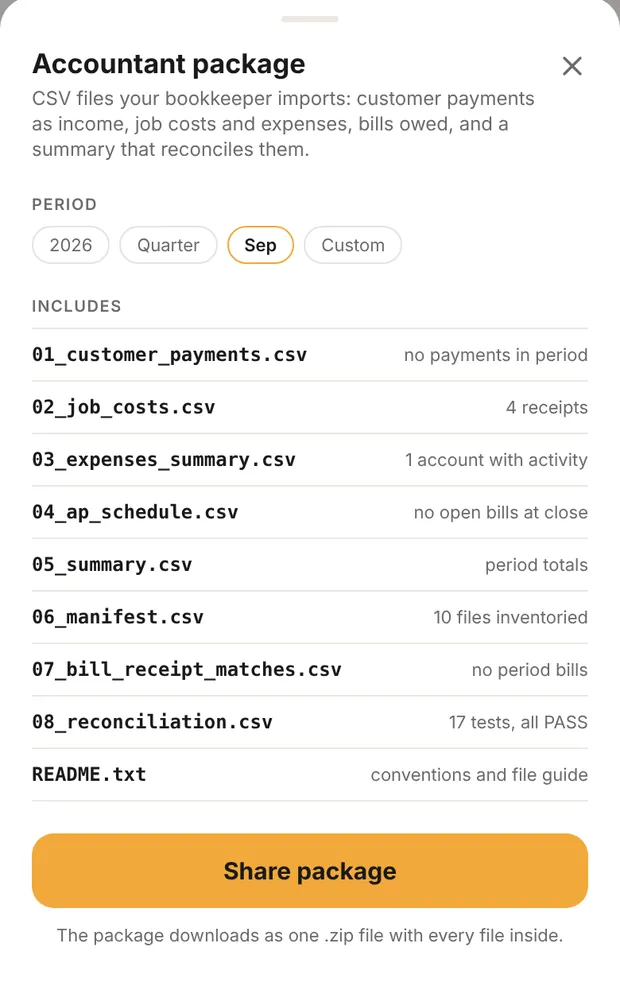
Where to find it
Settings › Accountant export, under Your data. It needs a plan: Solo, Assistant or Teams, including the trial. Without one the row doesn't show. On a team, it's for the owner and admins only, because the package shows all money in and out.
If you use the business portal (Assistant), its Reports page has the same package as one .zip, built from your last cloud backup.
Set it up once
The export works without any setup. These make it much more useful to your bookkeeper. Ask them once what their accounts are called; these rarely change.
Payment accounts (Settings › Payment accounts). Two lists:
- Payment accounts: the accounts you pay from, named the way your bookkeeper knows them, such as "Visa 4412" or "Operating Checking". Pick a PAYMENT METHOD for each: Card, Cash, Check, Paid personally or On account (not yet paid).
- Deposit accounts: where customer payments land. A check and an ACH can share one.
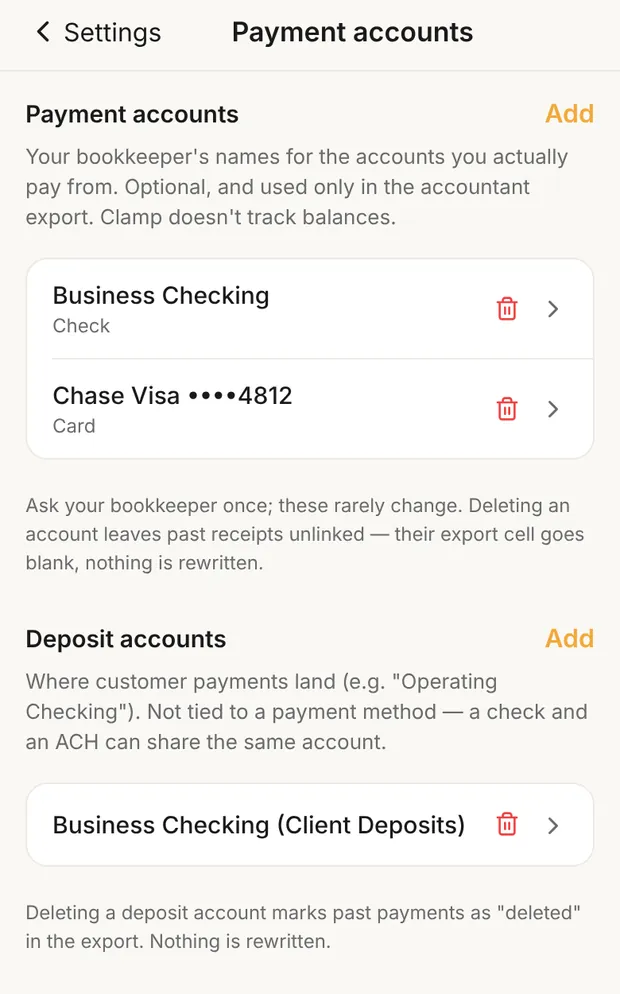
Clamp doesn't track balances in these accounts. They only label rows in the export. Deleting one doesn't rewrite anything; past rows that used it are marked "deleted" in the export.
Vendors (Settings › Vendors). A receipt tied to a vendor exports under the vendor's name. Without one, the row shows only the merchant and is marked unmatched.
Fill it as you work
The export only knows what you record:
- Receipts. Pick the account and, under PAID WITH (OPTIONAL), how you paid. If you have accounts for that method, pick one; with only one, Clamp picks it for you. See how to track job receipts.
- Customer payments. Record each payment on its invoice. With one deposit account it's filled in for you ("Deposited to"); with two or more, pick it. See how to write an invoice.
- Bills. Enter vendor bills and record what you pay against them. Paying a bill asks where it was PAID FROM. See how to track bills.
- Mileage. Confirmed business trips are included at your mileage rate.
Labor hours from time on site are not in the export. Neither are payroll, depreciation or anything on the balance sheet.
Pick the period
Under PERIOD, tap the year, Quarter or the month to choose, or Custom for a From and To date. It starts on the current month. A period that isn't over yet runs through today, and the files say "in progress".
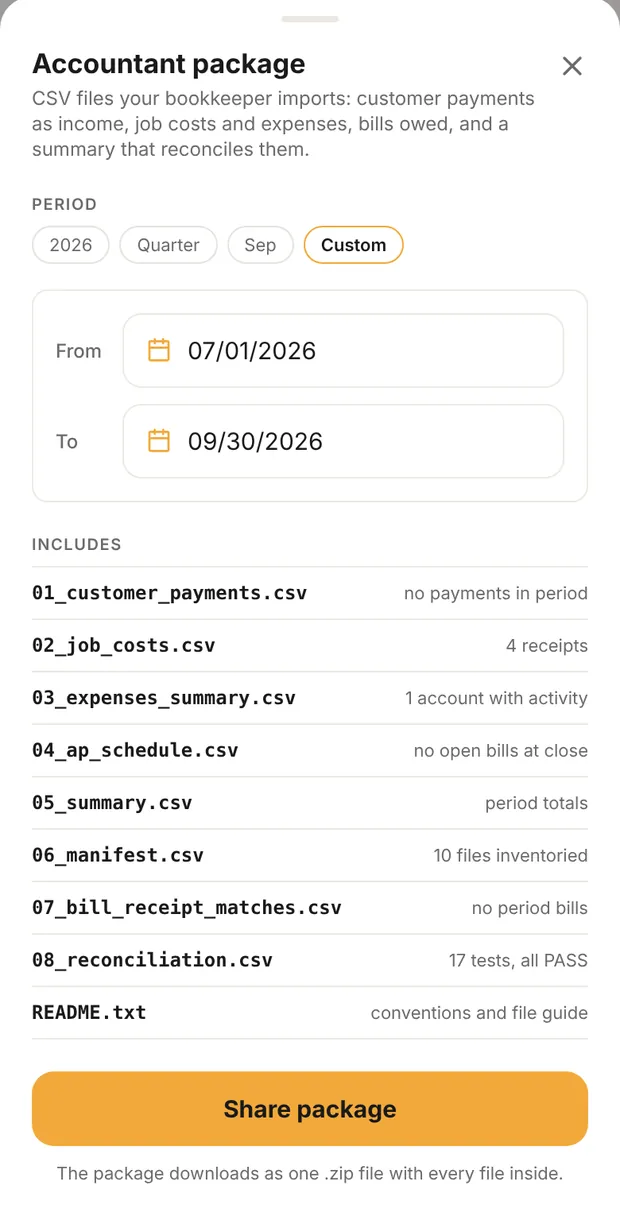
INCLUDES then lists each file with what's in it for that period, such as "12 payments" or "no open bills at close". A period with no activity still produces every file, with headers only. An empty period is a real answer.
If you have no business data yet, the export uses the sample job so you can see the format, and every file is marked SAMPLE.
Send it
Tap Share package. Clamp puts every file into one .zip, named for the period (accountant-export-<period>.zip), and opens the share sheet once: email it, or save it to Files or Google Drive. In a web browser, the .zip downloads. It's the same .zip the business portal builds.
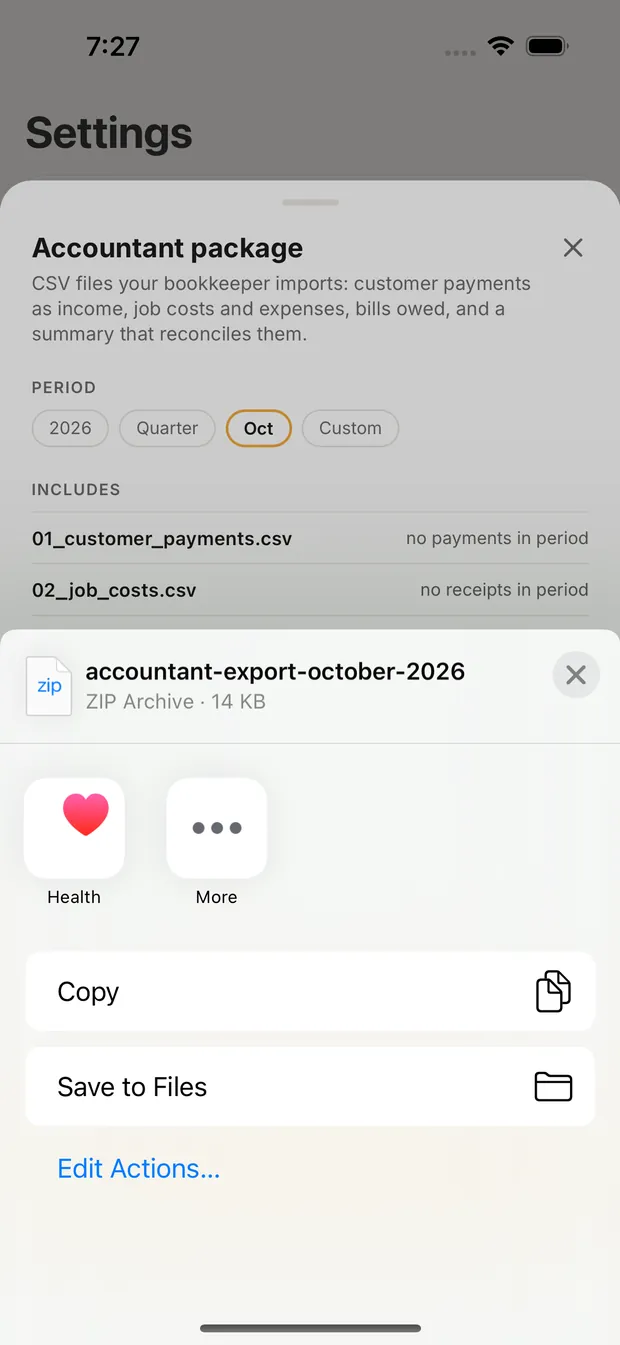
Every package you share is kept under ISSUED PACKAGES. Pick one and tap Reissue issued package to send exactly the same files again, even if your records changed since. If you share the same period again after a change, Clamp labels the new one Corrected package, so your bookkeeper knows which is current.
The files
| File | What it is | Bookkeeper |
|---|---|---|
| 01_customer_payments.csv | One row per customer payment or refund, dated the day you received it, with invoice, job, customer, amount, sales tax in it, method and deposit account | Imports |
| 02_job_costs.csv | One row per receipt, plus bill costs you've assigned to a job or to overhead, with vendor, account, job, amount and the payment account | Imports after mapping payment accounts |
| 03_expenses_summary.csv | Spending totaled by account, with your business mileage on its own line | Reviews |
| 04_ap_schedule.csv | Your bills as of the last day of the period: billed, paid in the period, balance, due date and days past due | Reviews, never imports |
| 05_summary.csv | The period's totals: payments, refunds, sales tax, expenses, mileage, bills owed, rows missing an account | Reviews |
| 06_manifest.csv | The list of files and how many rows each has | Checks it's complete |
| 07_bill_receipt_matches.csv | For each bill, how much has a matching receipt | Reviews |
| 08_reconciliation.csv | Checks that the detail files add up to the summary. Every row should say PASS | Checks first |
| README.txt | How to read the package | Reads once |
Three more appear when they apply: 09 and 10 when you have vendor bills (bill costs, payments and retainage event by event), and 11 when the period has refunds, credits or other settlements that aren't plain payments.
How it fits together
- Payments are cash, not sales. File 01 records money received against invoices your bookkeeper has already recorded. It doesn't create revenue. Importing it with no invoices on their side counts the income twice.
- Receipts are the cost record. File 02 carries each receipt once, dated by the receipt. Each row is marked job cost or overhead from its account: 5000s are job cost, 6000s are overhead. That's the same line Clamp draws everywhere: direct job cost has no overhead and no profit in it. See what job costing tracks.
- Bills aren't extra costs. A bill you owe is not a second expense. The cost shows in 02 through its receipt or its job allocation; 04 just shows what's still owed. File 07 shows how much of each bill a receipt covers, so nothing is counted twice. Cost is not cash: a bill can be a job cost before you've paid it.
- Mileage is for the CPA to decide. It's listed at your stored rate as a reference, under account 6300. Medical, charity and moving miles show separately, outside the totals. Personal miles aren't included.
- Payment and deposit accounts fill the columns that tell your bookkeeper which bank or card each row belongs to. Rows without one still import; 05 counts them so you can fill the gaps.
When a check fails
If any row in 08_reconciliation.csv says FAIL, the sheet shows Reconciliation failure detected in red before you share. Don't send it as is. Contact support through Settings › Help & About.
If the package can't be built at all, the sheet says so in red: "This package could not be built." with the reason, then "Correct that record and the package rebuilds. If it keeps happening, contact support." The file rows read "not built".
What this changes
- Your bookkeeper gets the period's money in and money out without retyping receipts.
- Payment accounts and vendors show up as names your bookkeeper recognizes.
- Every receipt, payment and bill you record during the month is what the package is made of. Nothing else feeds it.