Your first day on a Clamp team
Updated Oct 9, 2026
Who this is for. Your employer uses Clamp and has invited you to their team. You'll log your own hours, trips and receipts on their jobs, and they see them without chasing paper. Your role decides what else you can see.
Join the team
- Open the invite email and tap the link. It's good for 7 days.
- The page reads "Join [business] as [role] on Clamp." Enter the email the invite went to and tap Continue.
- Enter the 6-digit code Clamp emails you and tap Join Team.
- Install Clamp on your phone and sign in with that same email.
If the link says Invite expired, ask for a new one. There's nothing to pay: your seat is on the business's plan.
What you'll see
| Role | What you can do |
|---|---|
| Staff | Log time, mileage and receipts; change jobs assigned to you or that you created |
| Contributor | The same, on the jobs you're assigned to (or all jobs, if the owner chose that) |
| Viewer | Read only |
The tabs are the same as the owner's. In Settings you won't see the business pages (pricing, business details, lead customization, vendors, the team and the portals); you keep On the job (Mileage Tracking, Time on Site, Reminders), Data & Backup and your account. Dollar totals and labor rates are hidden unless the owner turns rates on for your role.
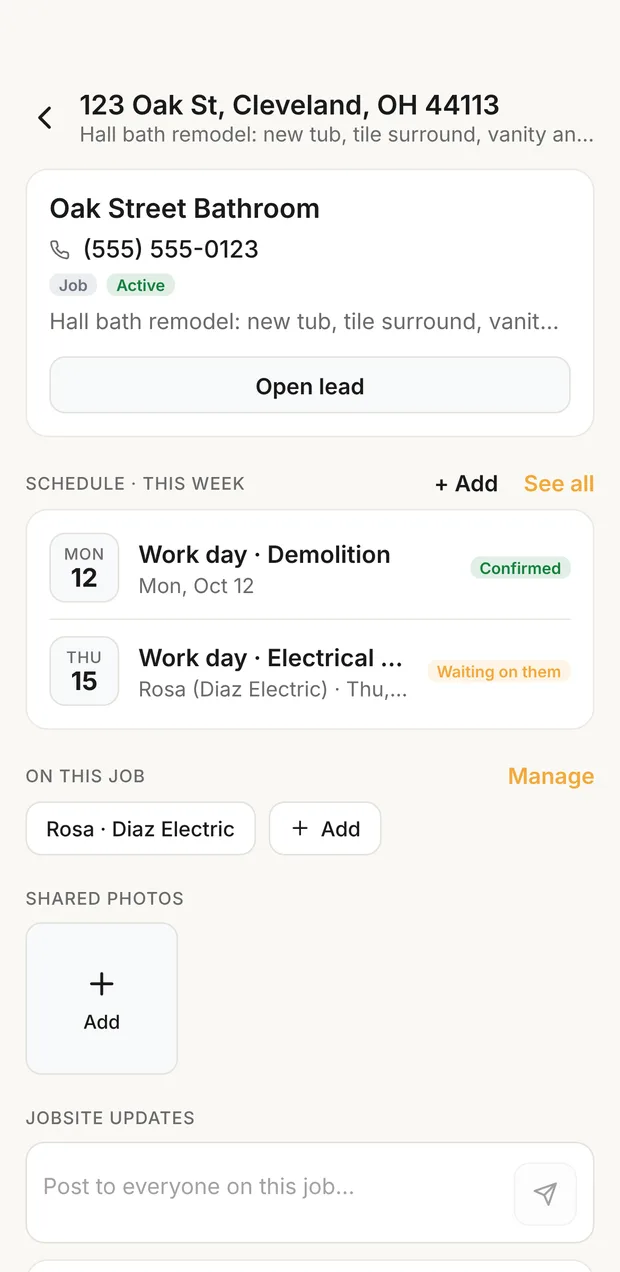
Your jobs are on the Jobsites tab. A job shows the customer and phone, the schedule, who's on it, shared photos and updates, and Time, Mileage and Receipt buttons that open the right log.
Log your time
Tap Time on the job, or Log Hours in Workflow. Pick the day, the hours or start and finish, and your role. Your role list is the roles you work, unless the owner lets you log others.
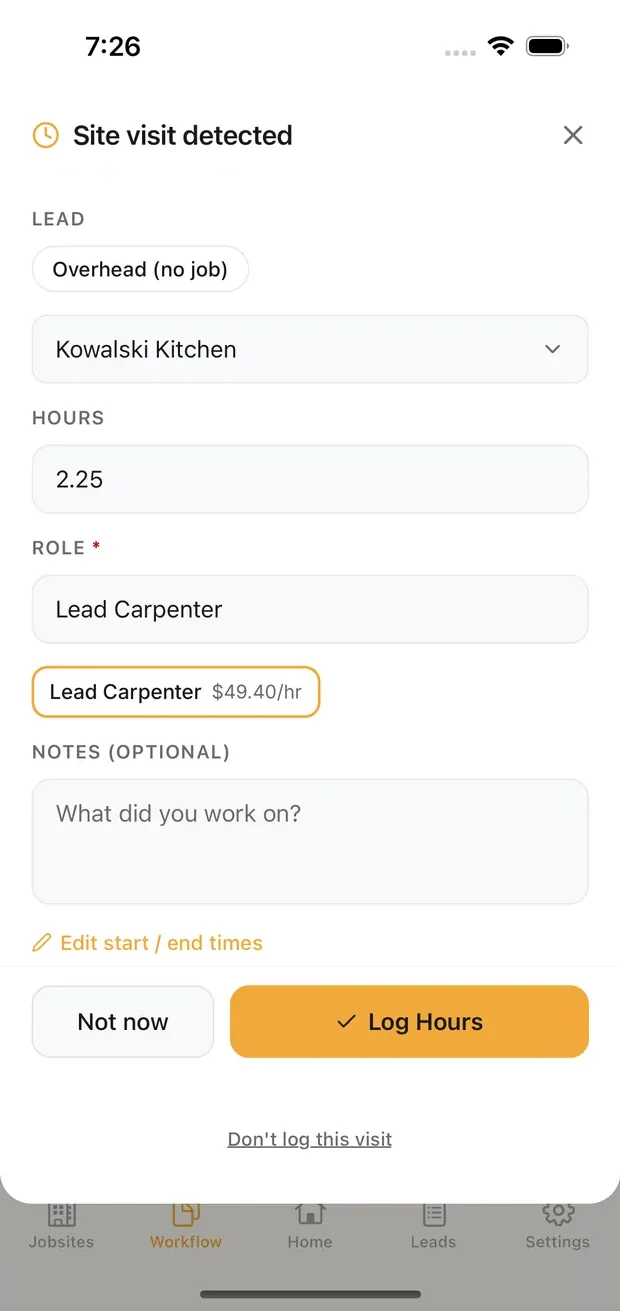
Easier: turn on auto time on site. When you leave a job site, Clamp asks you to confirm the job and hours; tap Log, Not now or Don't log this visit.
Your hours go to the owner when you open Clamp, at most every 15 minutes, and wait for them under Time to review.
Log your mileage
Tap Mileage on the job, or turn on auto mileage tracking and confirm each detected trip as business, with the job and a purpose.
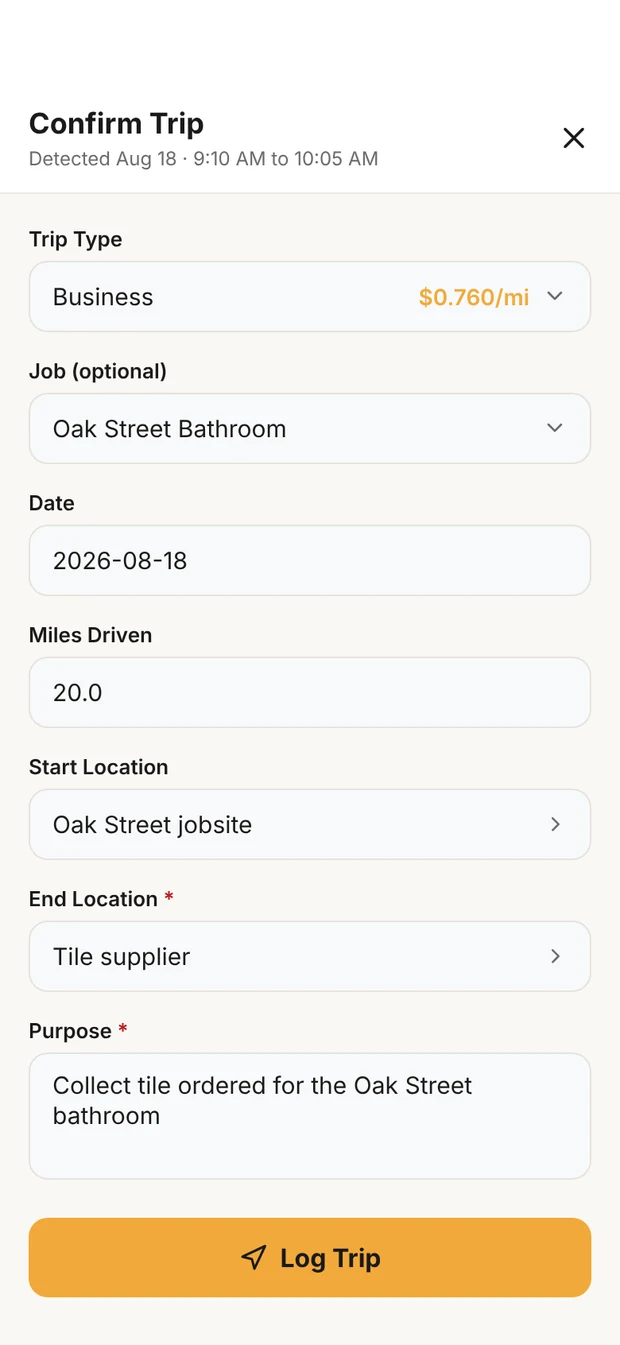
A trip is priced at the IRS rate for its date unless a contractor rate is set in your phone's mileage settings; the trip shows it as Reimbursement. How and when you're paid back is between you and your employer; Clamp keeps the record.
Log your receipts
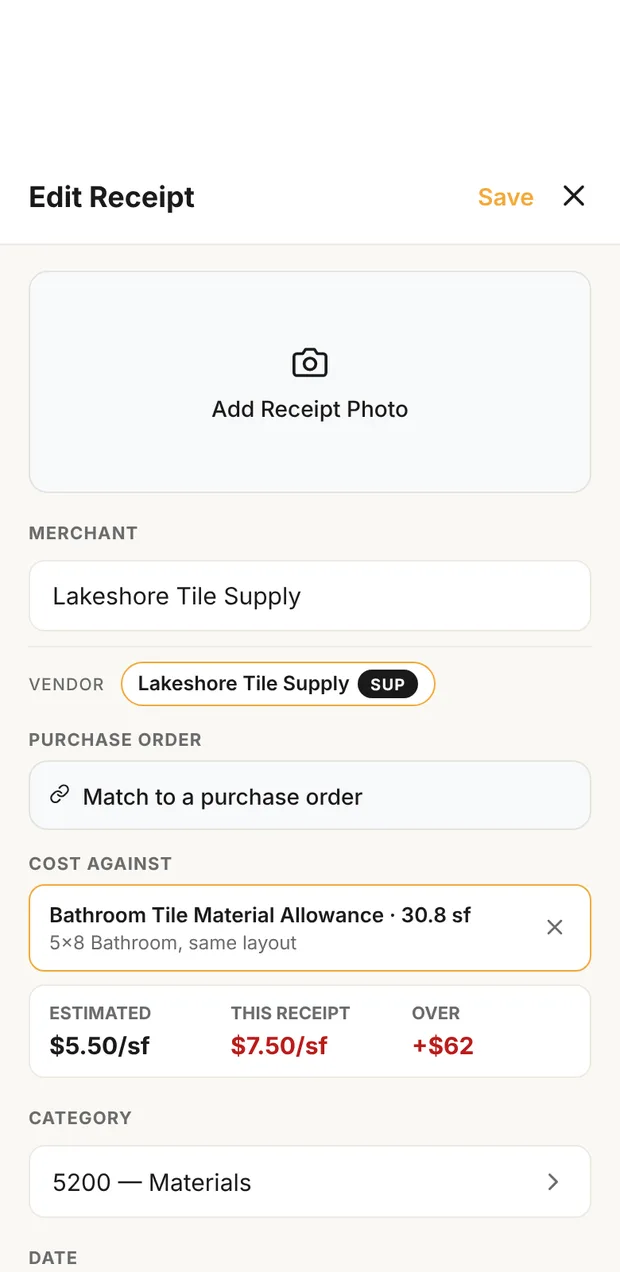
Tap Receipt on the job, photograph it, and fill in the merchant, total and what it was for. Cost against ties it to the line on the estimate it pays for. If you paid with your own money, choose Paid personally so the owner knows to pay you back.
Do it the same day, while you still know what it was for. The receipts guide says what each one must show.
If you leave the team
When the owner removes you, or the business's plan ends, Clamp shows Seat ended. Your own work stays on your phone; their jobs and customers don't. You can Export my work, or Start my own business in Clamp.